Mechanic workshops

Mechanic workshop software that handles tyres too

A mechanic workshop that adds tyres needs more than a generic diary and invoice tool. TyreShop Software gives you job cards, GST invoices, customers, vehicles, bookings and stock, with tyre-size-aware search ready when tyres become part of the job.

14-day free trial. No credit card. 50 free SMS to get started.

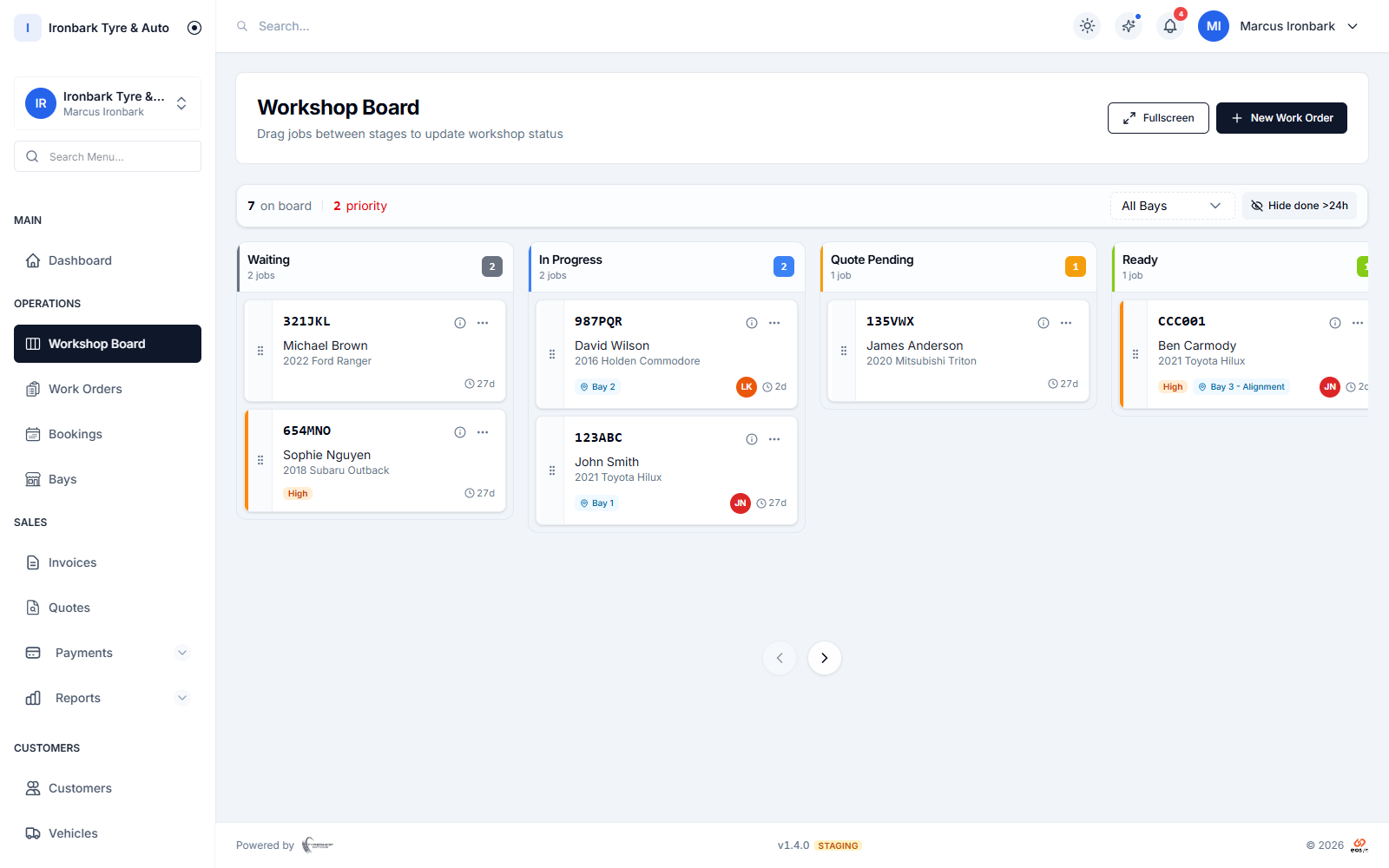
Workshop job board with Waiting, In Progress, Quote Pending and Ready columns, each card showing the vehicle, rego, bay and technician
Why mechanic workshop software

What you get

Job cards and board

Run work orders through the shared workshop board and invoice when the job is done.

Tyre-size stock

Track tyres, parts and accessories, with fitment-aware search for tyre work.

GST invoices with ABN

Send proper GST tax invoices and take pay-by-link on the same job.

Bookings and reminders

Use the staff calendar on every plan and the public booking widget on Professional and up.
How it works in your shop

Mechanic workshop software in practice

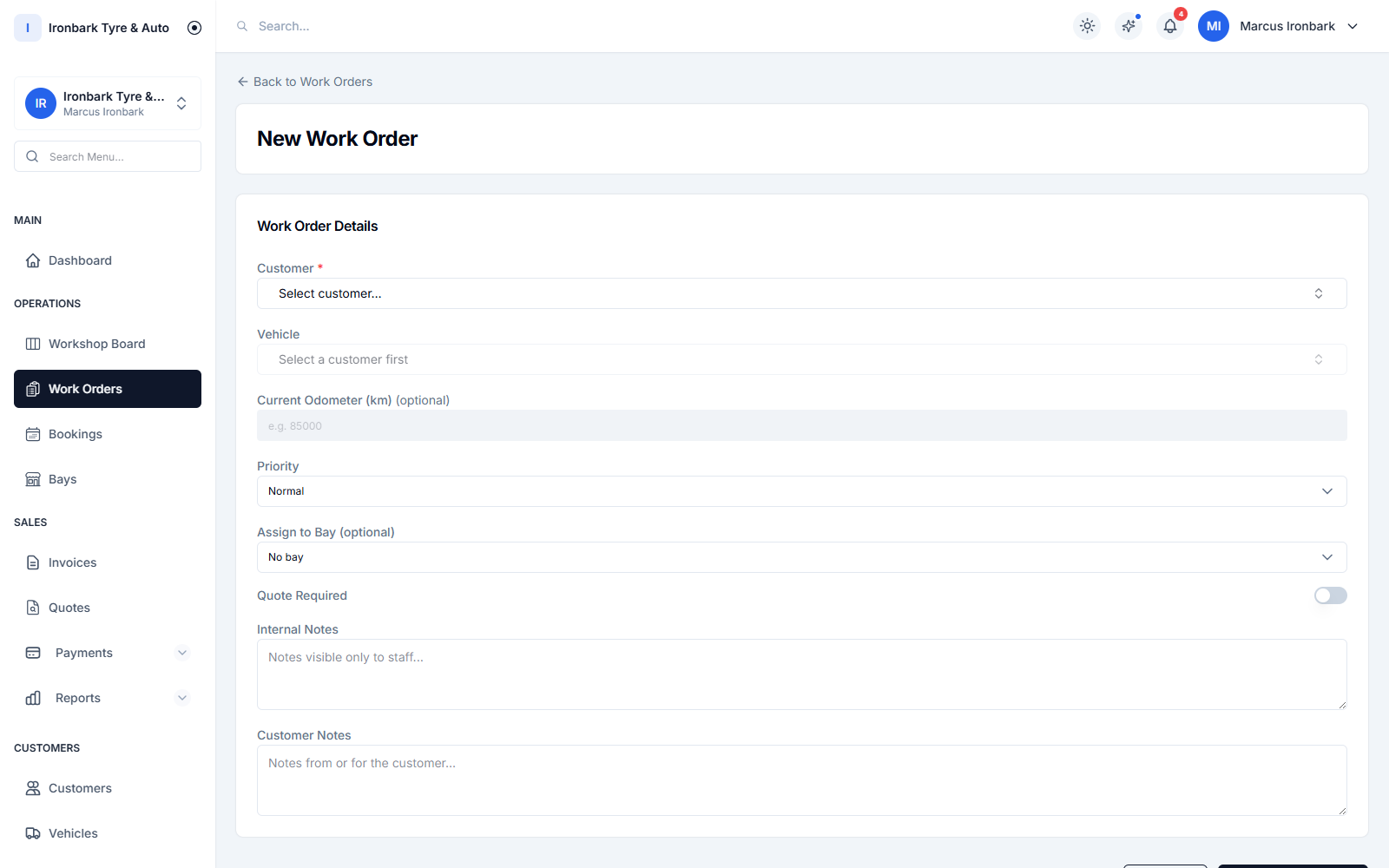
Creating a work order with tyre line items and an assigned bay and technician
Adding tyres

Do the tyre work without a second system

Tyre jobs sit beside mechanical work in the same customer and vehicle record, so you can quote tyres, record fitment and invoice from the one job.

  • Customer and vehicle history
  • Tyre setup on each vehicle
  • Stock and invoice linked
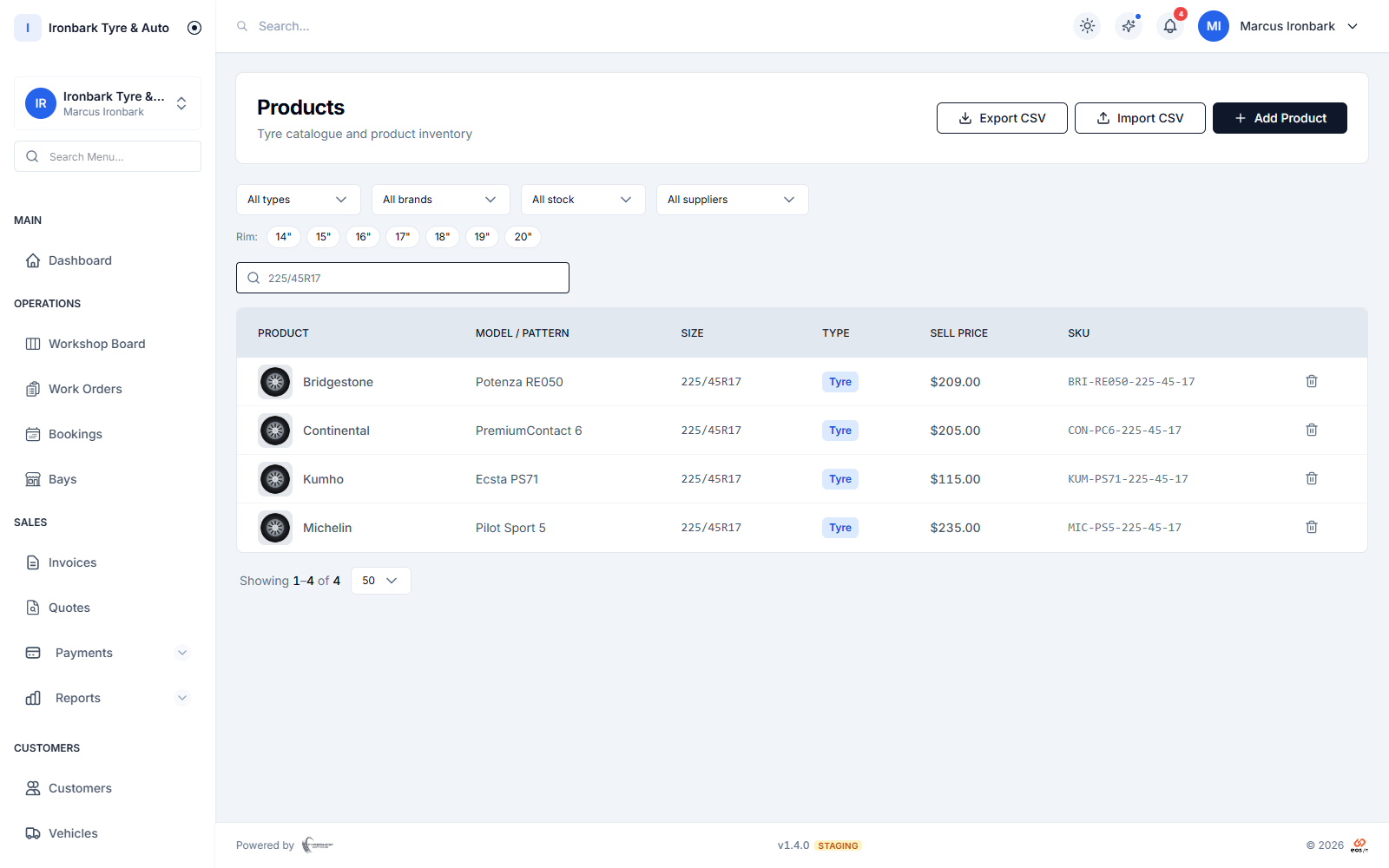
Stock search filtered to matching tyres, showing SKU, on-hand quantity and bin
Getting paid

Invoice from the finished job

Create the GST tax invoice from the job card, send the PDF or pay link, and keep payments tied to the work.

  • GST with ABN
  • Pay-by-link through Stripe
  • Partial payments recorded
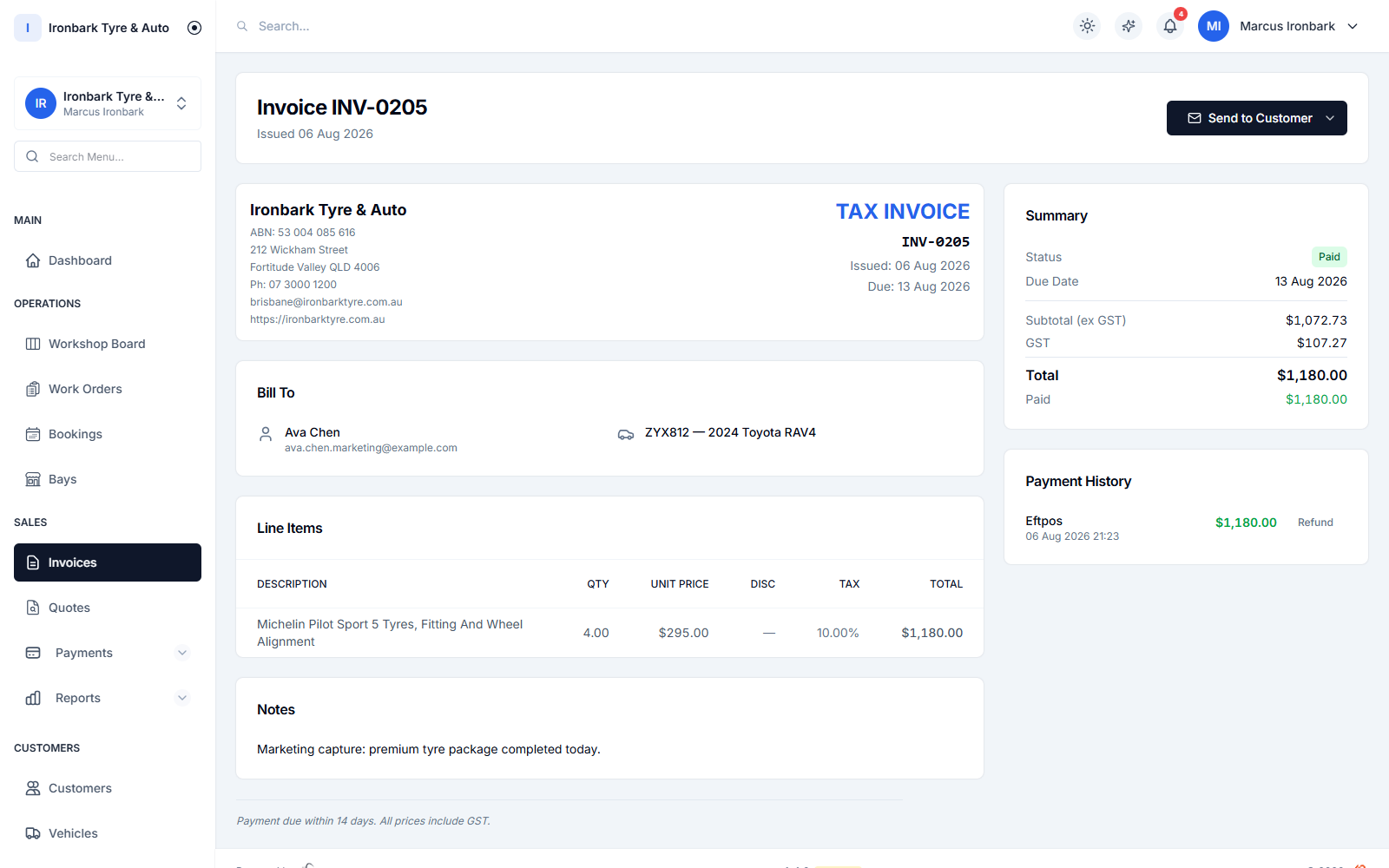
GST tax invoice showing the ABN, tyre line items, GST breakdown and total, marked paid
Follow-up

Bring the customer back

Use reminders by date or odometer for rotation, alignment or service work, sent by SMS or email.

  • Service reminders
  • SMS allowance per plan
  • Consent and opt-out respected
How it works

Up and running with mechanic workshop software

  1. 01

    Set up the shop

    Add your shop, team, bays and workflow mode.

  2. 02

    Import the records

    Bring customers, vehicles and products across by CSV.

  3. 03

    Run jobs and invoices

    Move jobs through the board and finish with a GST invoice.

FAQ

Mechanic workshop software questions

Can a mechanic workshop use TyreShop Software?

Yes. It is built for tyre shops first, but a mechanic workshop that fits tyres or sells tyre-related services can use the same bookings, job cards, GST invoices, stock and customer records.

Does it replace my invoicing app?

It can. TyreShop Software raises GST tax invoices with your ABN, sends invoice PDFs and pay links, and records payments against the job.

Does it look up rego details?

No. The rego is typed by hand and stored as a plain field. There is no automatic rego lookup or vehicle decode.

See mechanic workshop software in your own shop

Start a 14-day free trial of TyreShop Software and run mechanic workshop software alongside the rest of the platform. No credit card required.

14-day free trial. No credit card required.