Workshop board

Workshop job board software that shows the whole shop at a glance

Workshop job board software puts every vehicle in the shop on one drag-and-drop board, from waiting to in progress to ready for pickup. The counter, the fitters and the owner all see what is on, what is stuck and what is ready to invoice. Nobody walks a lap of the bays to get an answer, and a finished job turns into a GST invoice in a tap.

14-day free trial. No credit card. 50 free SMS to get started.

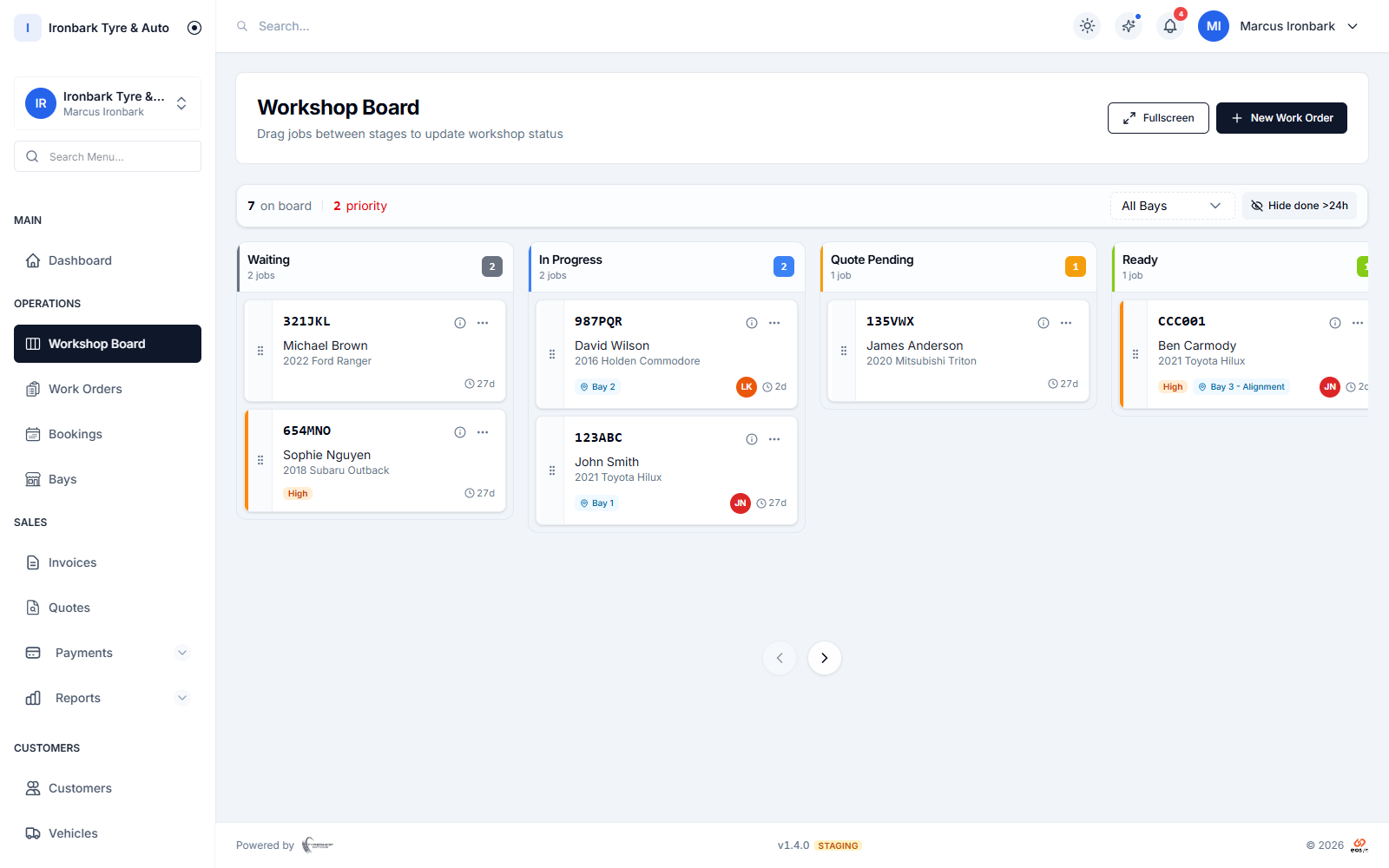
Workshop job board with Waiting, In Progress, Quote Pending and Ready columns, each card showing the vehicle, rego, bay and technician
Why workshop board

What you get

Drag from waiting to done

Move each job across the board as it progresses, from waiting through in progress to ready for pickup. A tap updates the stage and the whole team sees it at once.

The whole shop on one screen

See every vehicle in the shop and exactly what is happening to it right now, so nobody has to walk the bays to get an answer.

The same board on every device

Open the same board on the counter desktop, a tablet in the bay or a phone in a pocket, so the whole team works from one shared job list.

Filter and set up your way

Filter by bay or technician and adjust the columns in settings, so the board matches the way your shop actually moves work through the day.
How it works in your shop

Workshop board in practice

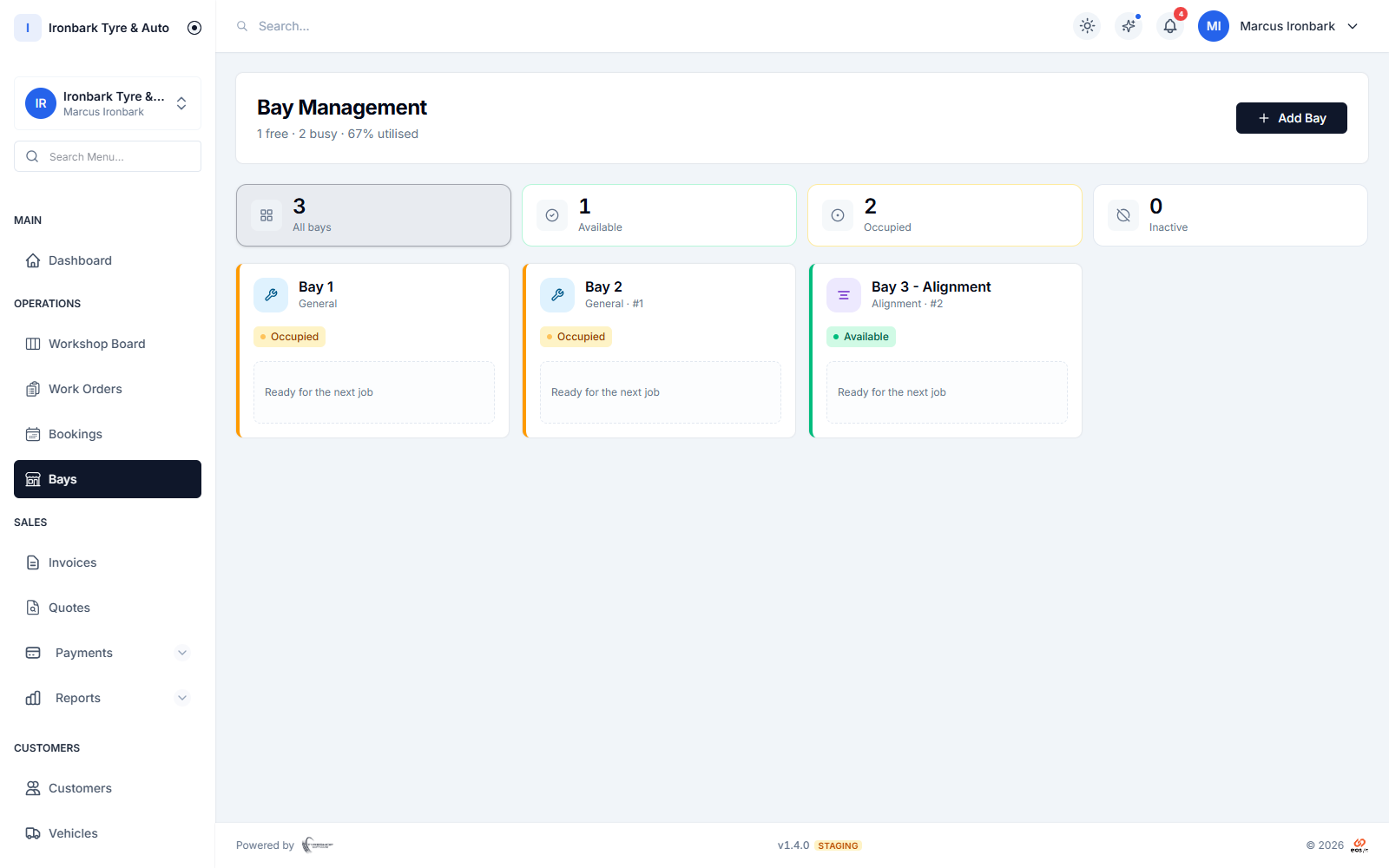
Workshop bays view showing each service bay and the job assigned to it
See the work

Every job on a drag-and-drop board

The workshop board lays out every open job as a card you can drag between stages. Colour-coded status tells you at a glance what is waiting, what is on a hoist and what is ready to invoice, so the counter can answer a customer without walking out the back.

  • A card for every open job, dragged between stages
  • Colour-coded by status: waiting, in progress, ready
  • See the customer, vehicle and job at a glance
  • One shared board across the counter and the bays
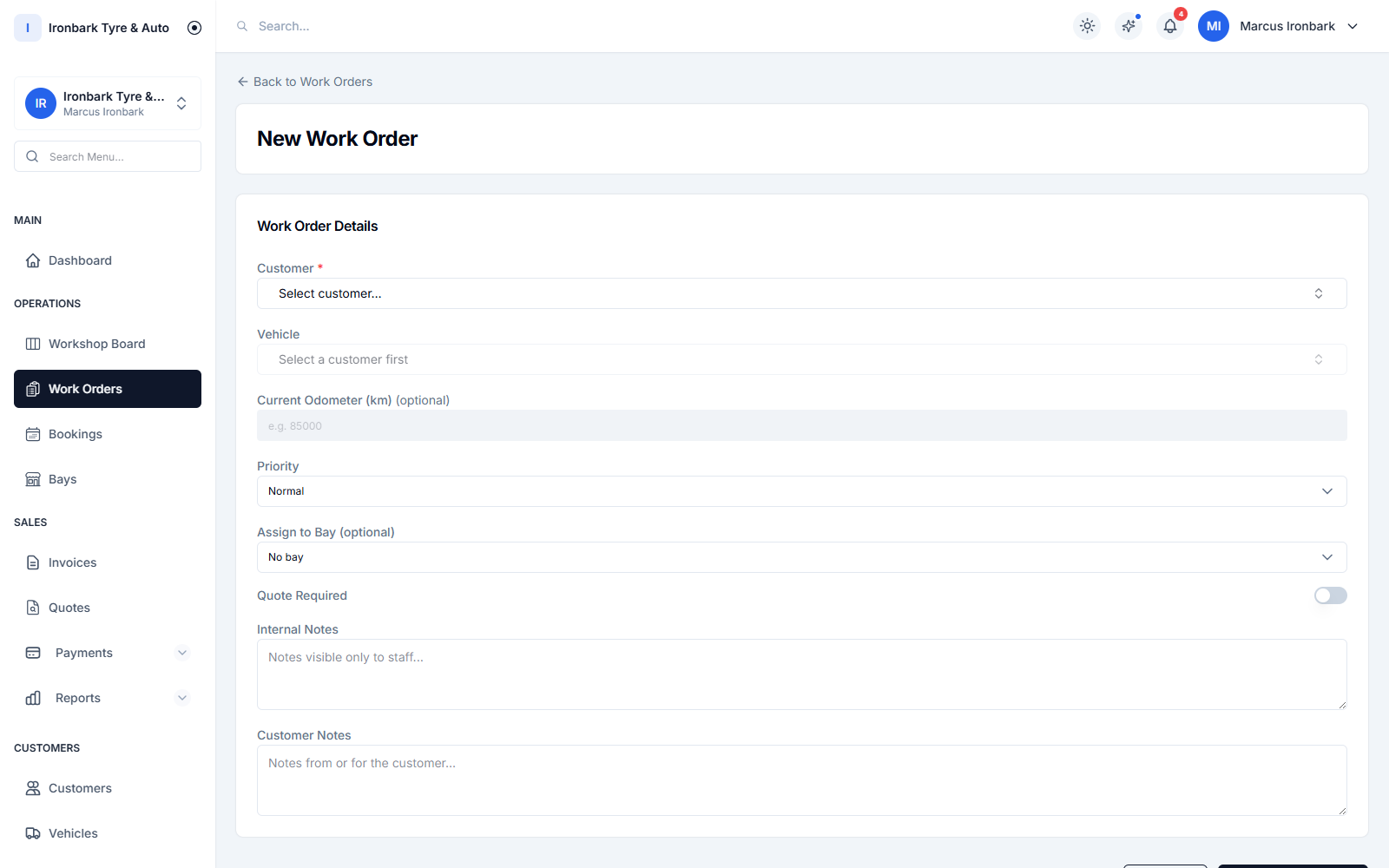
Creating a work order with tyre line items and an assigned bay and technician
Assign the work

Bays, technicians and filters that fit your shop

Assign each job to a bay and a technician, then filter the board so a fitter sees only their work and the owner sees the lot. Adjust the columns in settings so the stages match how your shop runs, not a template.

  • Assign a job to a bay and a technician
  • Filter by bay or by technician
  • Customisable columns in settings
  • One board whether you run two bays or ten
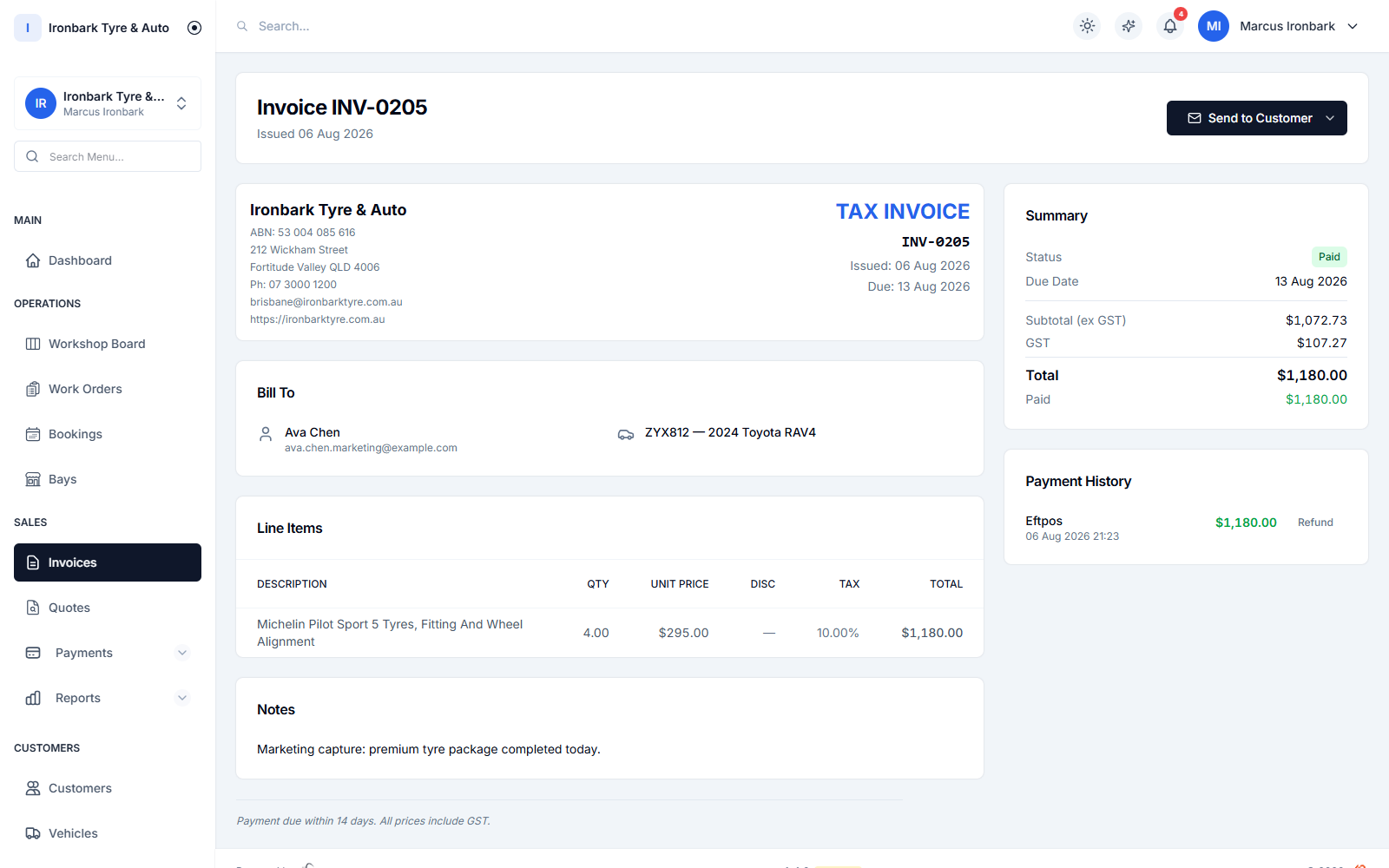
GST tax invoice showing the ABN, tyre line items, GST breakdown and total, marked paid
Finish the job

From the board straight to a GST invoice

When a job is done it is already linked to the customer, the vehicle and the parts, so turning it into a compliant GST tax invoice is a tap. Nothing gets re-keyed between the board and the counter.

  • The job carries the customer, vehicle and line items
  • Convert a finished job into a GST invoice in a tap
  • Works in full, simplified or invoice-only mode
  • No double entry between the workshop and the counter
How it works

Up and running with workshop board

  1. 01

    Book or open a job

    A booking becomes a job on the board, or open a walk-in job straight from the counter. The customer and vehicle details come with it.

  2. 02

    Move it across the board

    Assign a bay and a technician, then drag the card from waiting to in progress as the work happens. It is one shared board for the counter and the bays.

  3. 03

    Invoice from done

    When the job reaches ready for pickup, turn it into a GST tax invoice in a tap and take payment at the counter.

FAQ

Workshop board questions

Can the whole team use the same board?

Yes. The workshop board is shared across the counter, the bays and the office, so everyone works from the same job list. When someone moves a job or changes its stage, that change is saved to the shared board for the whole team.

Can I filter the board by technician or bay?

Yes. Filter the board down to a single bay or a single technician, or view the whole shop at once. You can also adjust the columns in settings to match your stages.

Does a job on the board become an invoice?

A finished job already carries the customer, vehicle and line items, so you can convert it into a GST tax invoice in a tap without re-keying anything.

Does the board work on a tablet in the workshop?

Yes. The board runs in the browser on a desktop, a tablet or a phone, with nothing to install, so a fitter can update a job straight from the bay.

See workshop board in your own shop

Start a 14-day free trial of TyreShop Software and run workshop board alongside the rest of the platform. No credit card required.

14-day free trial. No credit card required.