Bookings

Tyre shop booking software that keeps every bay full

Tyre shop booking software lets customers book online day or night, then you run the day from one shop calendar. The public booking widget, on Professional and up, turns your website into a booking channel. Automatic day-before reminders cut the no-shows that cost you a bay, and each booking becomes a work order in a tap when the customer arrives.

14-day free trial. No credit card. 50 free SMS to get started.

The public online booking widget is included on Professional and up. The staff calendar and manual bookings are available across plans.

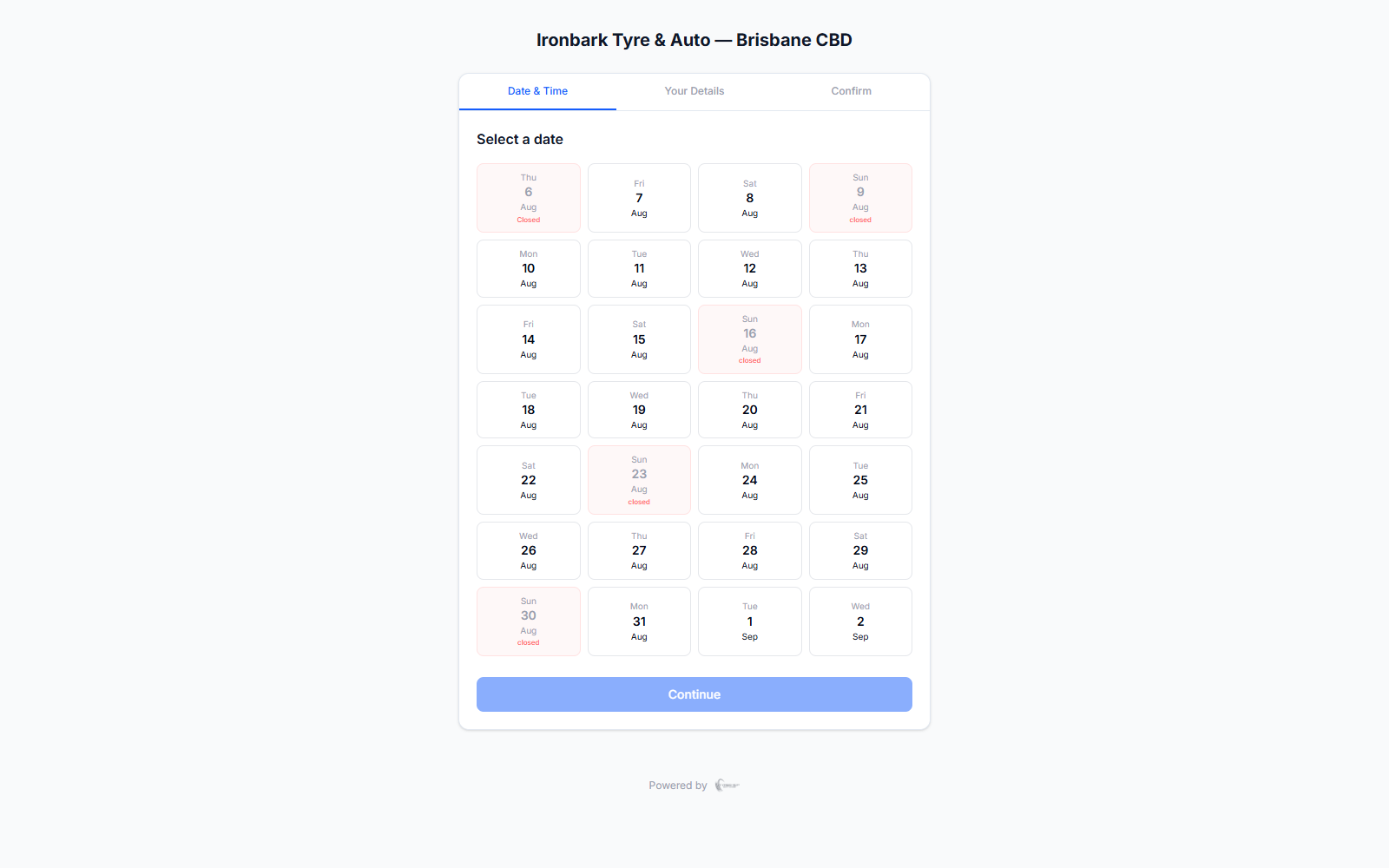
Public online booking widget for choosing a service, date and time
Why bookings

What you get

Book online, any device

A public three-step booking widget you can embed on your own website. Customers pick a service, a date and a time, and confirm, from a phone, a tablet or a desktop.

One shop calendar

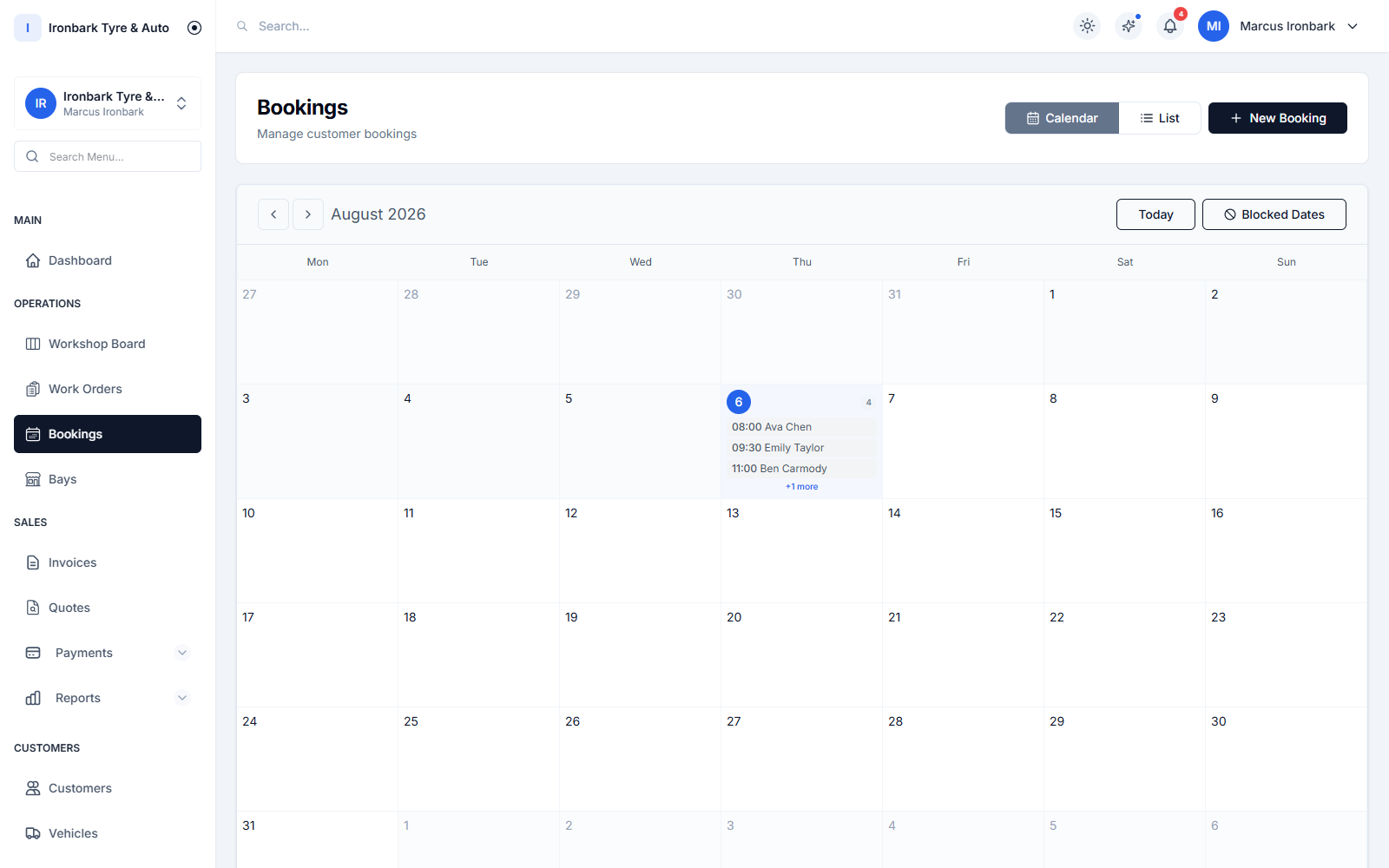
Every booking lands on a single staff calendar. Auto-confirm or confirm each one by hand, and the customer is notified either way.

Fewer no-shows

Day-before reminders by SMS or email bring customers back to the bay they booked, so you are not chasing empty slots at the last minute.

Availability you control

Set lead time, how far ahead customers can book, capacity by bay or fixed slots, blocked dates and operating hours, so the widget only ever offers times you can actually service.
How it works in your shop

Bookings in practice

Staff bookings calendar with the day’s appointments across the bays
Take the booking

A public booking widget on your own website

Add a three-step booking flow to your site: the customer chooses a service, then a date and time from your real availability, then confirms their contact details. Marketing and privacy consent is captured at the point of booking, so you stay Spam Act compliant from the first message.

  • Three-step flow: service, date and time, confirm
  • Only offers times your shop can actually service
  • Captures marketing and privacy consent at booking
  • Included on Professional and up
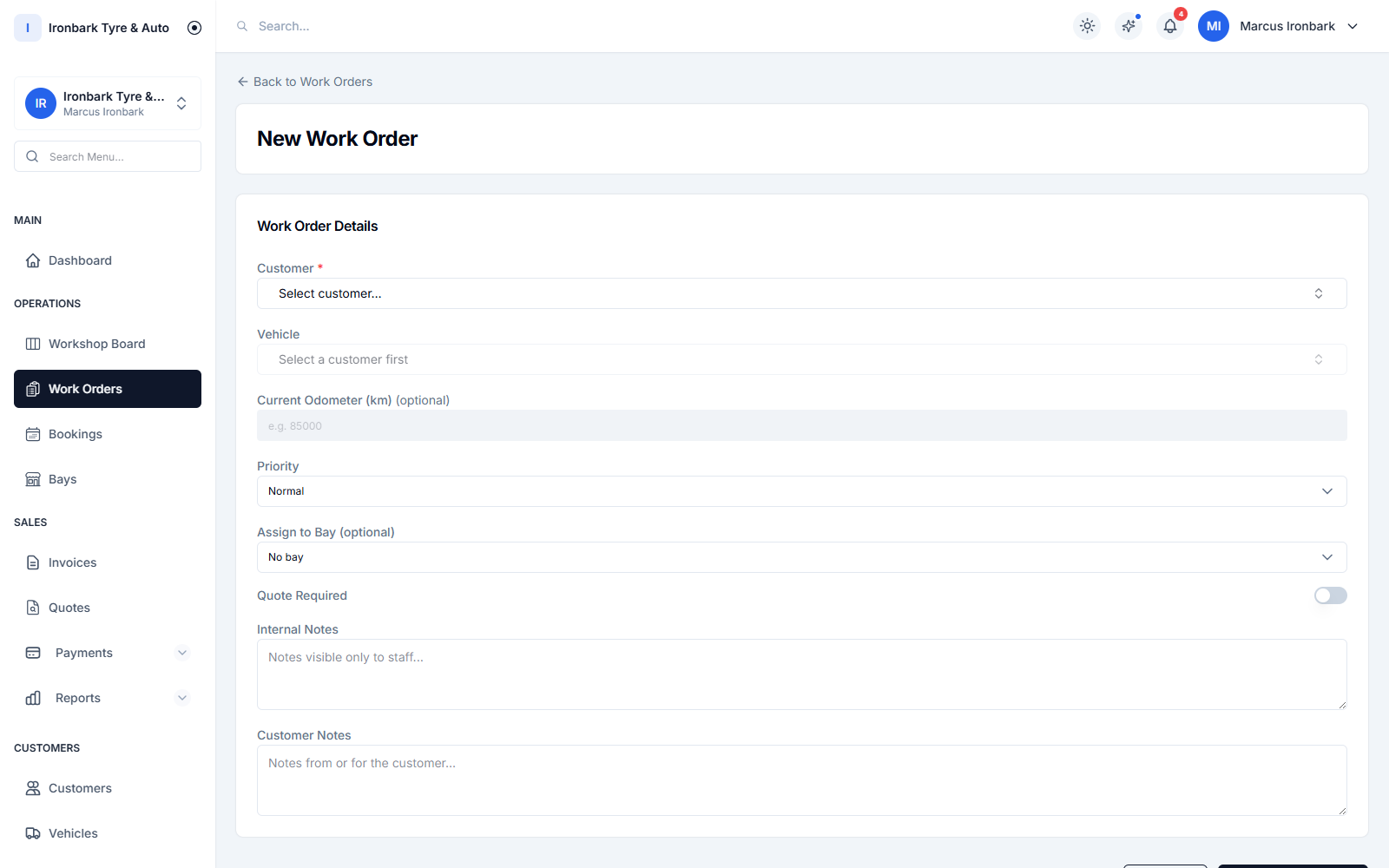
Creating a work order with tyre line items and an assigned bay and technician
Run the day

Manage the calendar and turn bookings into jobs

New bookings arrive on one staff calendar. Auto-confirm the ones you want and confirm the rest by hand. When a customer arrives, convert the booking into a work order in a tap, so the details you already have flow straight onto the job card without re-keying.

  • Auto-confirm or confirm each booking manually
  • Customer is notified when a booking is confirmed
  • Convert a booking into a work order in one tap
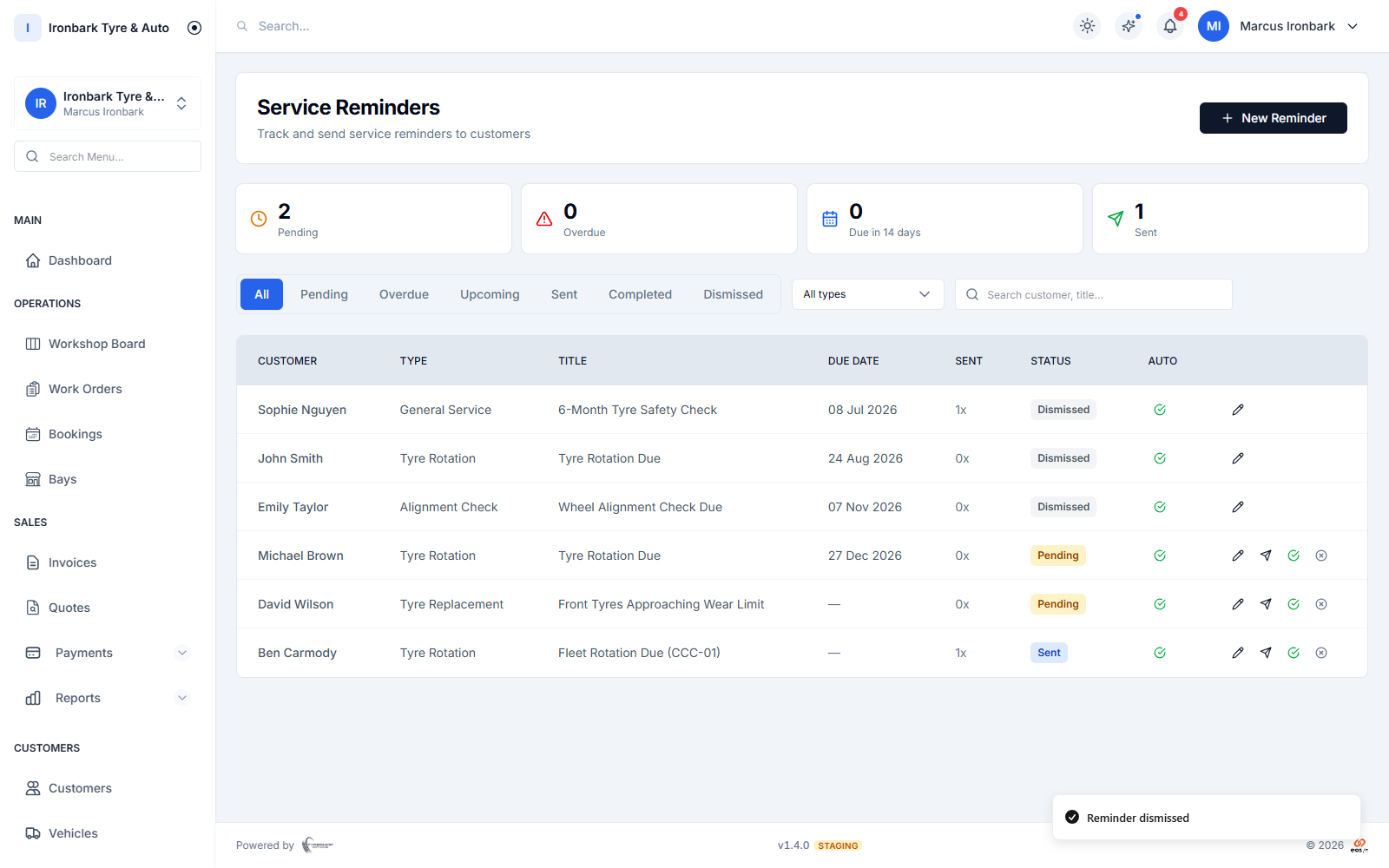
Service reminders scheduled by date and odometer, sent by SMS or email
Bring them back

Automatic reminders that cut no-shows

Day-before booking reminders go out by SMS or email so customers turn up. Pair bookings with service-due reminders and the same customer comes back when their tyres are due, without anyone at the counter having to remember to call.

  • Day-before booking reminders by SMS or email
  • Works alongside service-due reminders
  • Reminders respect each customer contact preference
How it works

Up and running with bookings

  1. 01

    Set your availability

    Tell the system your operating hours, your bays or slots, your lead time and how far ahead customers can book. Block out dates you are closed.

  2. 02

    Embed the widget

    Add the public booking widget to your website. Customers pick a service, a time from your real availability, and confirm, with consent captured up front.

  3. 03

    Confirm and service

    Bookings land on your calendar. Confirm them, send the day-before reminder, and convert each one into a work order when the customer arrives.

FAQ

Bookings questions

Is online booking included on every plan?

The public online booking widget is included on Professional and up. The staff calendar and manually created bookings are available across plans, so a Starter shop can still manage appointments in-house.

Can customers book from their phone?

Yes. The booking widget runs in the browser and works on a phone, a tablet or a desktop. There is nothing for the customer to download.

Do bookings become jobs automatically?

A booking can be converted into a work order in one tap when the customer arrives. The customer, vehicle and service details you already captured flow onto the job card, so you are not re-keying anything.

How do reminders work?

Day-before reminders can be sent by SMS or email. SMS uses your monthly allowance and any overage is billed at A$0.12 per message through Stripe. Reminders always respect each customer contact preference.

Can I control how far ahead people book?

Yes. You set the lead time, how far into the future customers can book, capacity by bay or fixed slots, blocked dates and your operating hours, so the widget only offers times you can service.

See bookings in your own shop

Start a 14-day free trial of TyreShop Software and run bookings alongside the rest of the platform. No credit card required.

14-day free trial. No credit card required.