
Solution: job control

Replace paper job cards and know where every job is up to

Give the counter and workshop one clear place to see the customer, vehicle, work requested and current job status.

  • One job record
  • Shared workshop board
  • Browser-based
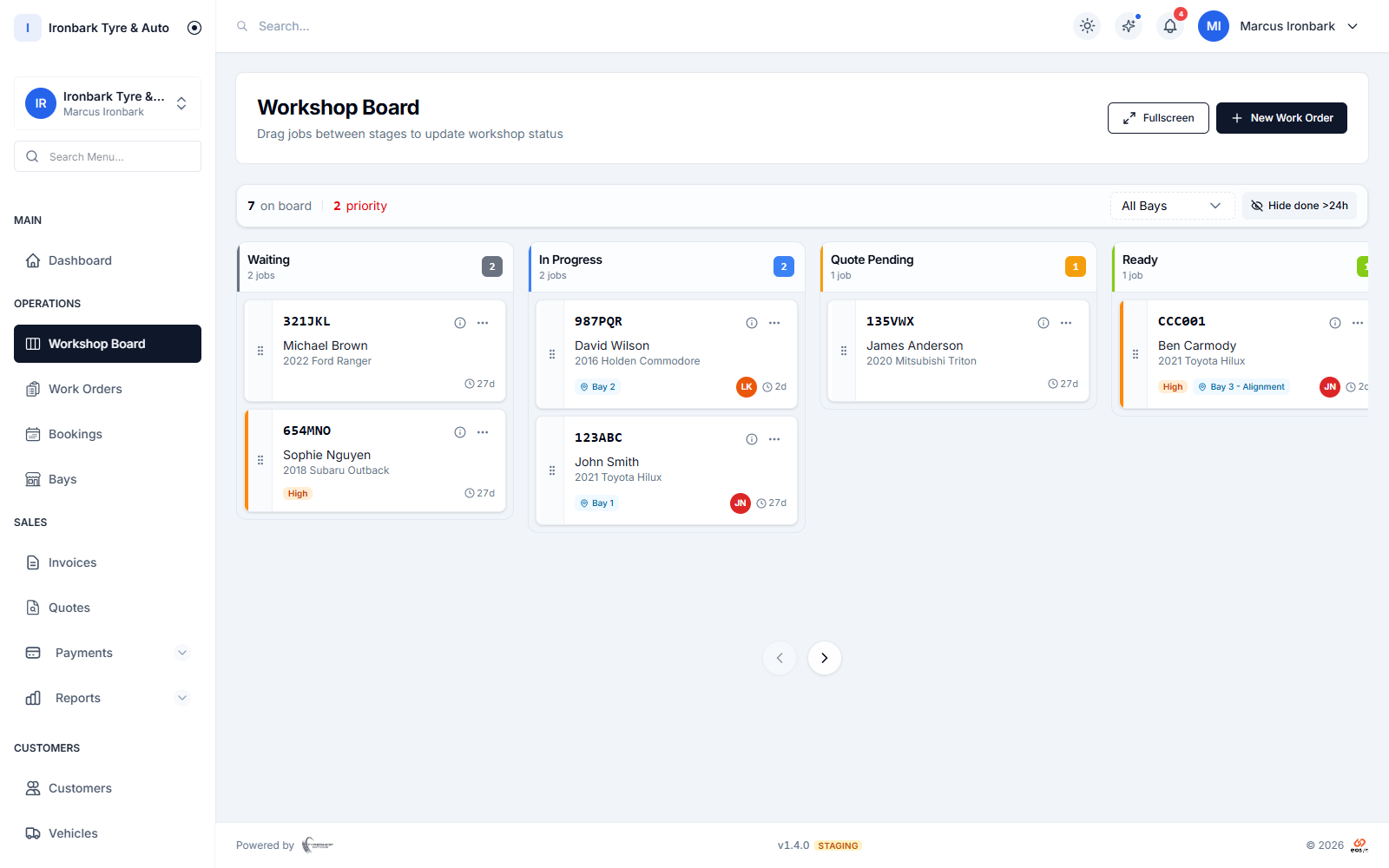
TyreShop Software workshop board showing jobs waiting, in progress and ready
How TyreShop helps

A simpler way to handle this part of the day

TyreShop replaces scattered paper cards with a shared job record. Your team can see what is waiting, in progress and ready, then finish the invoice without typing the same details again.

A better way to run the day

Spend less time rewriting jobs and chasing updates

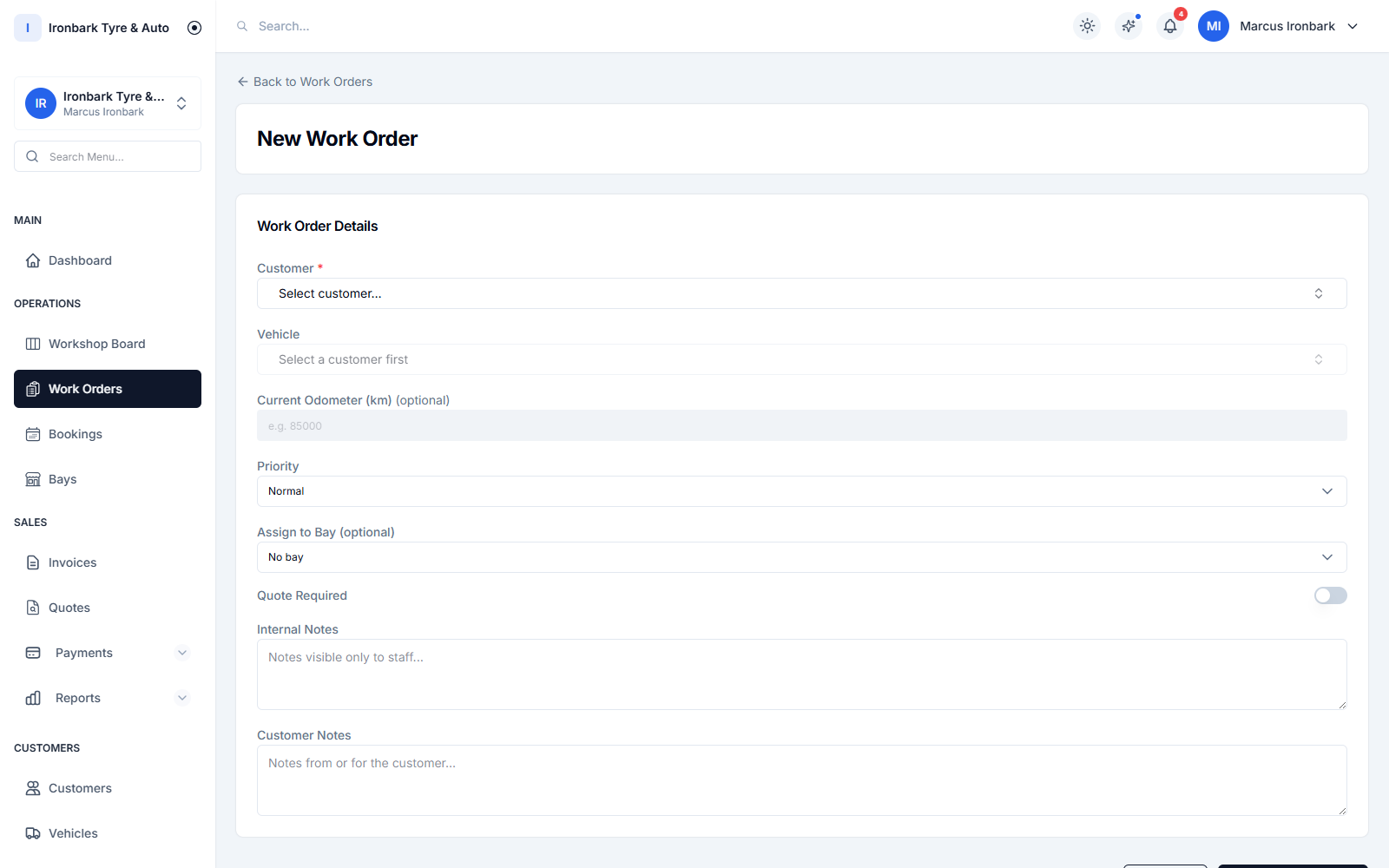
Creating a work order for a customer vehicle in TyreShop Software
At the counter

Stop rewriting the same job details

A paper card separates the booking from the customer record and the final invoice. A connected work order keeps the job attached to the right customer and vehicle from the start.

  • Customer and vehicle history
  • Work notes in one place
  • Quote-to-job continuity
Workshop team view of each job and its current stage
On the floor

Make job status visible to the whole team

The workshop board gives the counter and technicians a shared view of work by stage, reducing the need to interrupt the floor just to ask where a vehicle is up to.

  • Waiting, in progress and done
  • Bays and assignments
  • Updates across devices
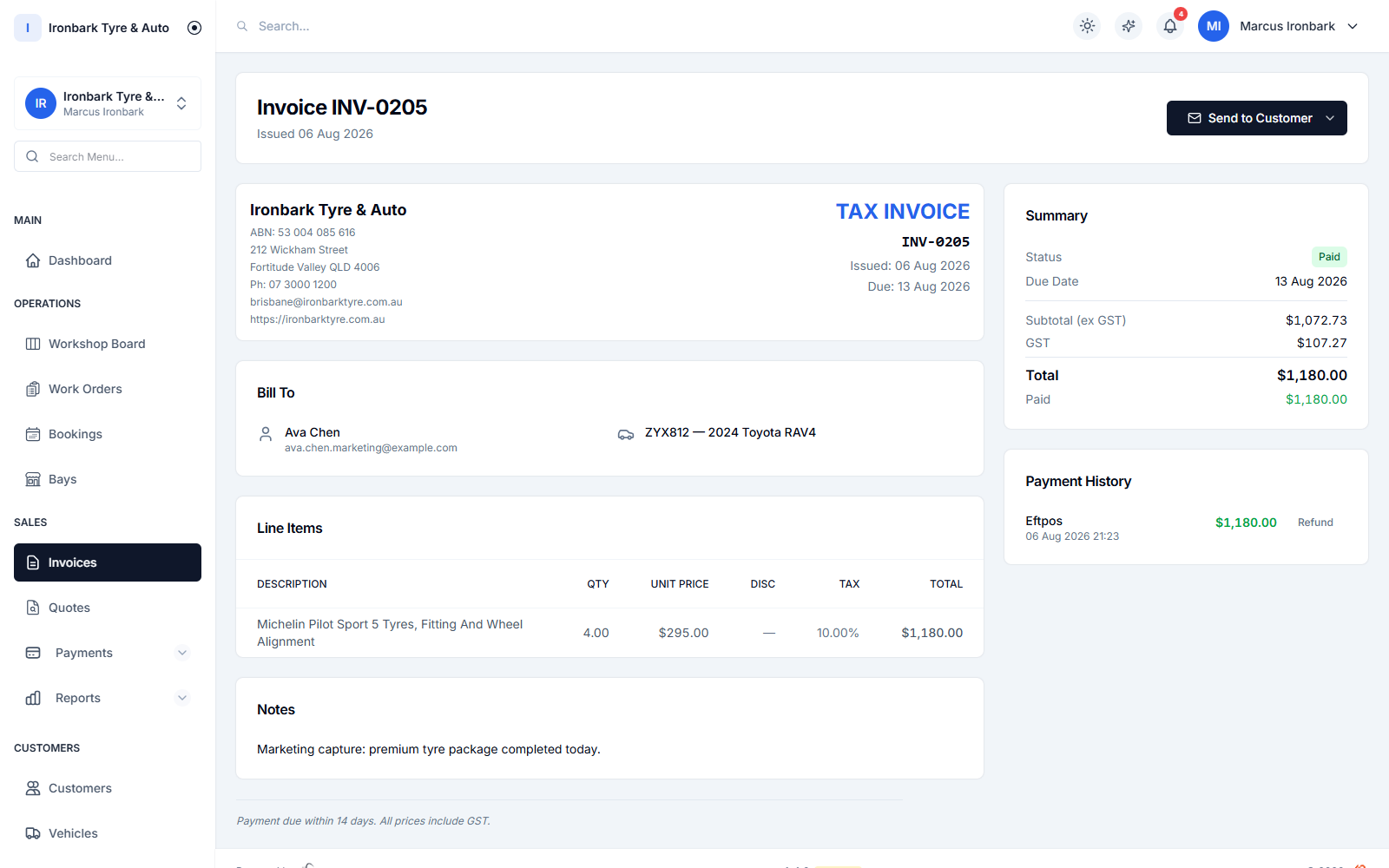
Australian GST tax invoice created after a workshop job
At completion

Carry completed work into the invoice

When the job and invoice belong to the same system, the final customer document does not need to be rebuilt from a handwritten card at the end of the day.

  • GST tax invoice with ABN
  • Branded PDF
  • Payment status recorded
How it works

From counter to paid invoice

  1. 01

    Create the job

    Start with the customer, vehicle and work requested.

  2. 02

    Move the work

    Track the job across the workshop board as its status changes.

  3. 03

    Finish the record

    Raise the invoice and retain the vehicle history for next time.

What helps you do it

See the TyreShop tools used here

Workshop board

See every active job by stage and bay.

See how it works

Workshop software

Understand the complete booking-to-invoice workflow.

See how it works

Customers and vehicles

Keep the job connected to service history.

See how it works
You may also want to

Improve another part of the shop

Common questions

What shop owners usually want to know

What is a digital job card?

A digital job card is a browser-based work record that keeps the customer, vehicle, requested work, job notes and progress together. In TyreShop Software, work orders connect with the workshop board and invoicing workflow.

Do technicians need a desktop computer?

No. TyreShop Software runs in a modern browser on desktop, tablet and phone. An internet connection is required; no offline mode is advertised.

Can a completed job become an invoice?

Yes. The work-order flow connects to quotes and GST tax invoices, so the final invoice can be raised without recreating the customer and vehicle details.

Try TyreShop with the way your shop works

Start with a real job, booking or stock list and see whether it makes the day easier.