Stock and inventory

Tyre inventory software that speaks tyre sizes

Tyre inventory software tracks stock by normalised tyre size and lets you search the racks by fitment. Counts stay honest because stock moves the moment you invoice a tyre. Low-stock alerts tell you what to reorder before you run out, so you stop guessing what is on the racks or waiting on a manual count.

14-day free trial. No credit card. 50 free SMS to get started.

Stock and inventory are included on every plan. Seeing stock across several shops from one login is part of multi-location management, which is an Enterprise and custom-build capability priced by contact.

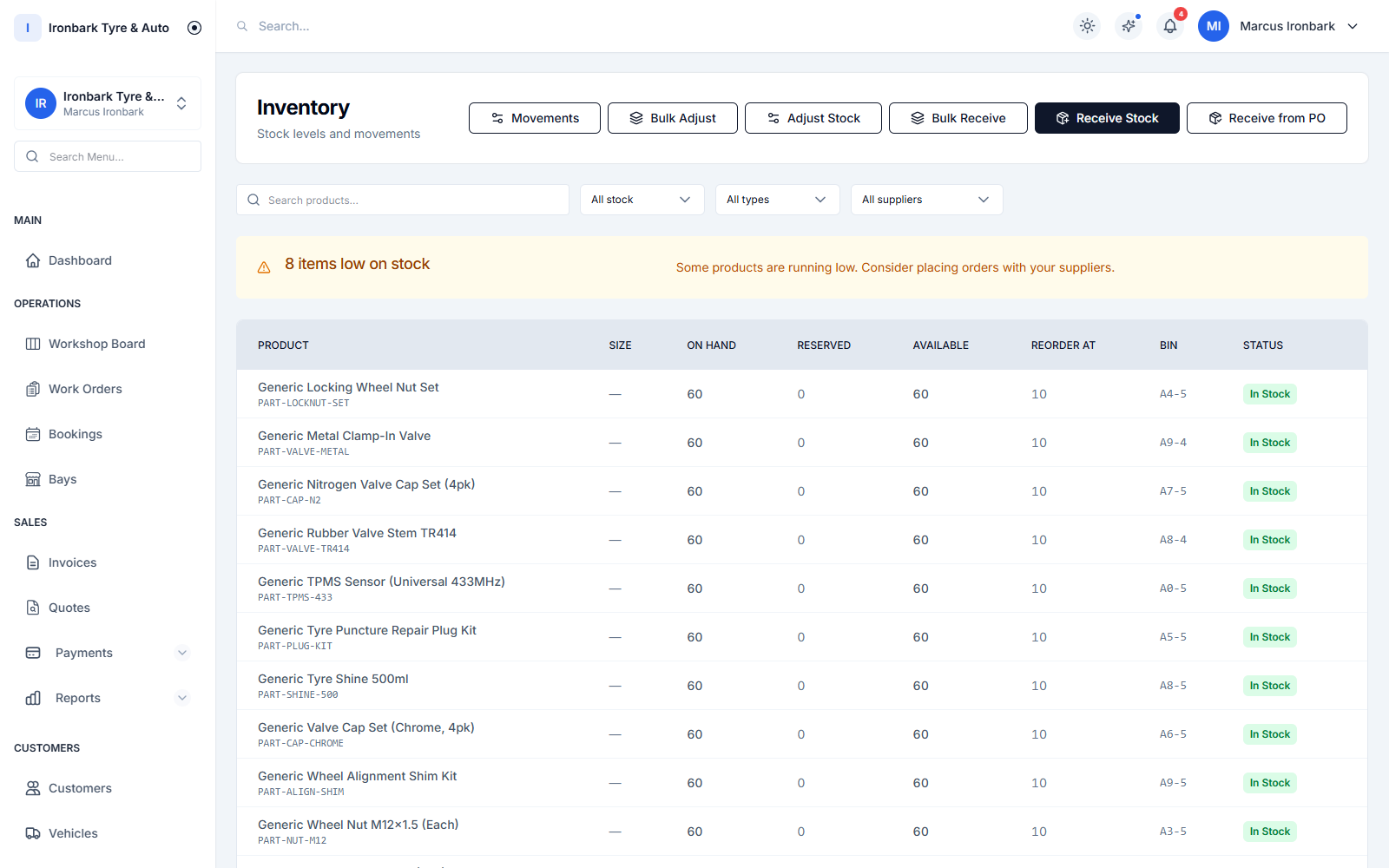
Stock list showing tyres by brand and size with on-hand quantities and low-stock alerts
Why stock

What you get

Tyre-size-aware counts

Stock is tracked against normalised tyre sizing like 225/45R17, so a search by size finds exactly what fits, not a loose text match.

Counts that stay honest

Stock moves automatically when you invoice a tyre, so your on-hand figure matches the racks without a manual adjustment.

Low-stock alerts

Set a reorder point and get a low-stock alert before you run out, so a popular size is on the shelf when the customer walks in.

Stock across your shops

See stock levels per shop and across sites from one login, so you can move a set between locations instead of buying it twice. Available on Enterprise and custom builds.
How it works in your shop

Stock in practice

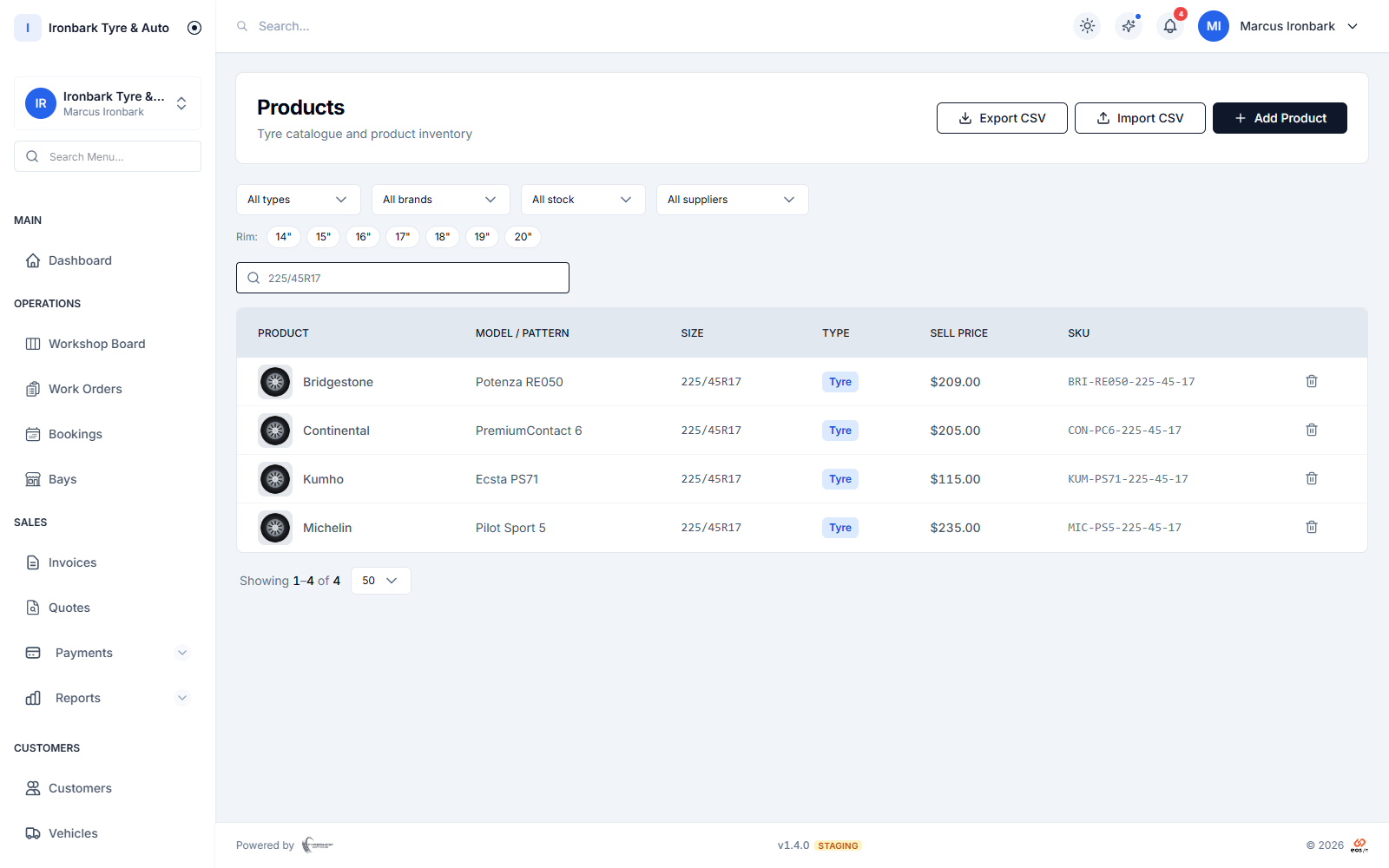
Stock search filtered to matching tyres, showing SKU, on-hand quantity and bin
Find it fast

Search the racks by tyre size and fitment

Because every tyre is stored with its proper Australian size, a search by size returns exactly what fits. Your team quotes from what is on hand in seconds.

  • Normalised tyre sizing like 225/45R17
  • Search by width, profile and rim in one go
  • Brand and pattern grouping for fast lookup
  • Quote straight from what is on the racks
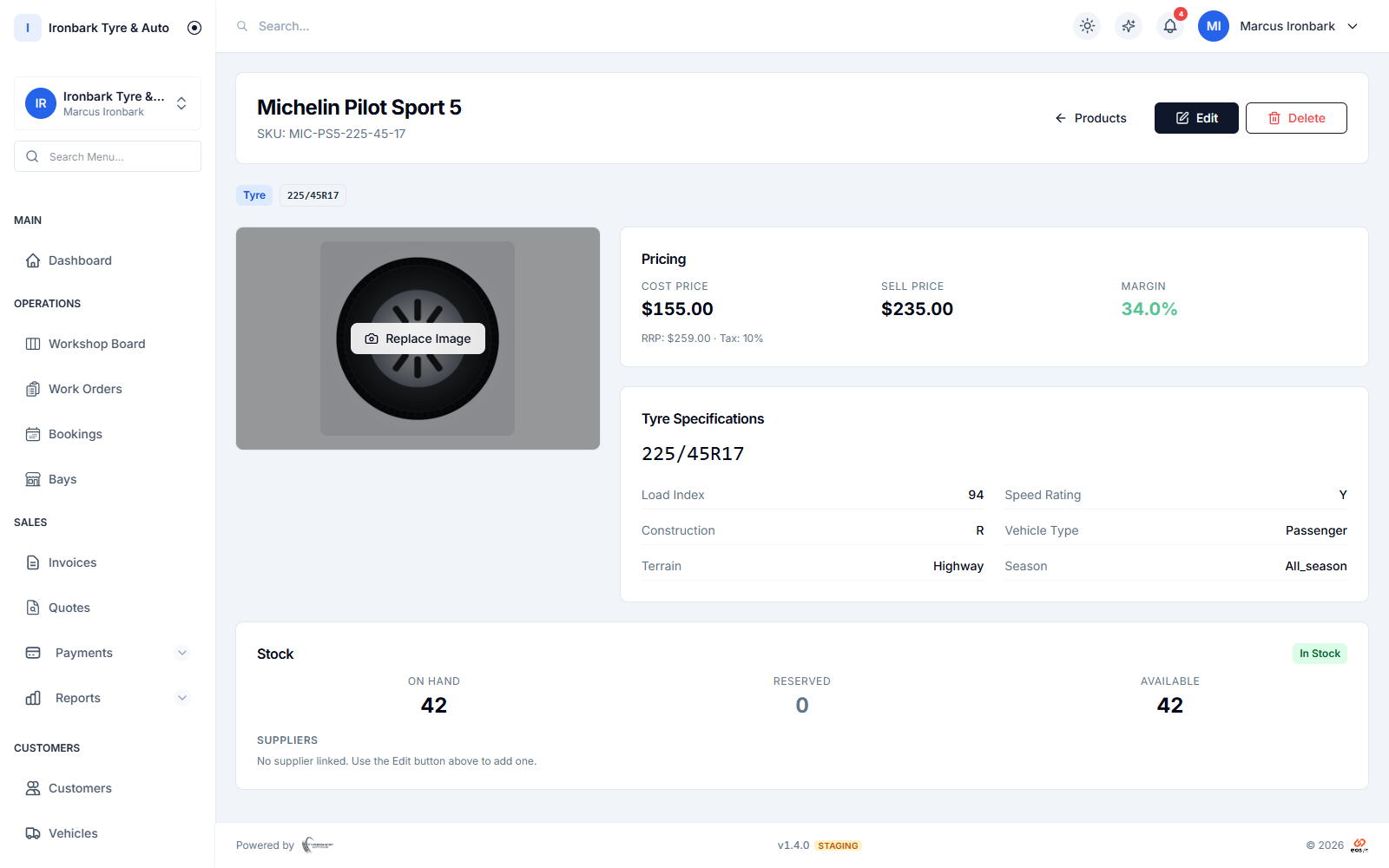
Tyre product detail showing the fitment size, load and speed rating, cost, sell price, margin and stock on hand
Stay honest

Stock that moves itself when you invoice

Fit a tyre and invoice it, and the stock count drops on its own. No end-of-day reconciliation, no counting twice. Set reorder points and low-stock alerts flag the sizes to order before they run out.

  • Automatic stock movements on every invoice
  • Low-stock alerts at your reorder point
  • On-hand figure matches the racks
  • Feeds purchase orders when it is time to reorder
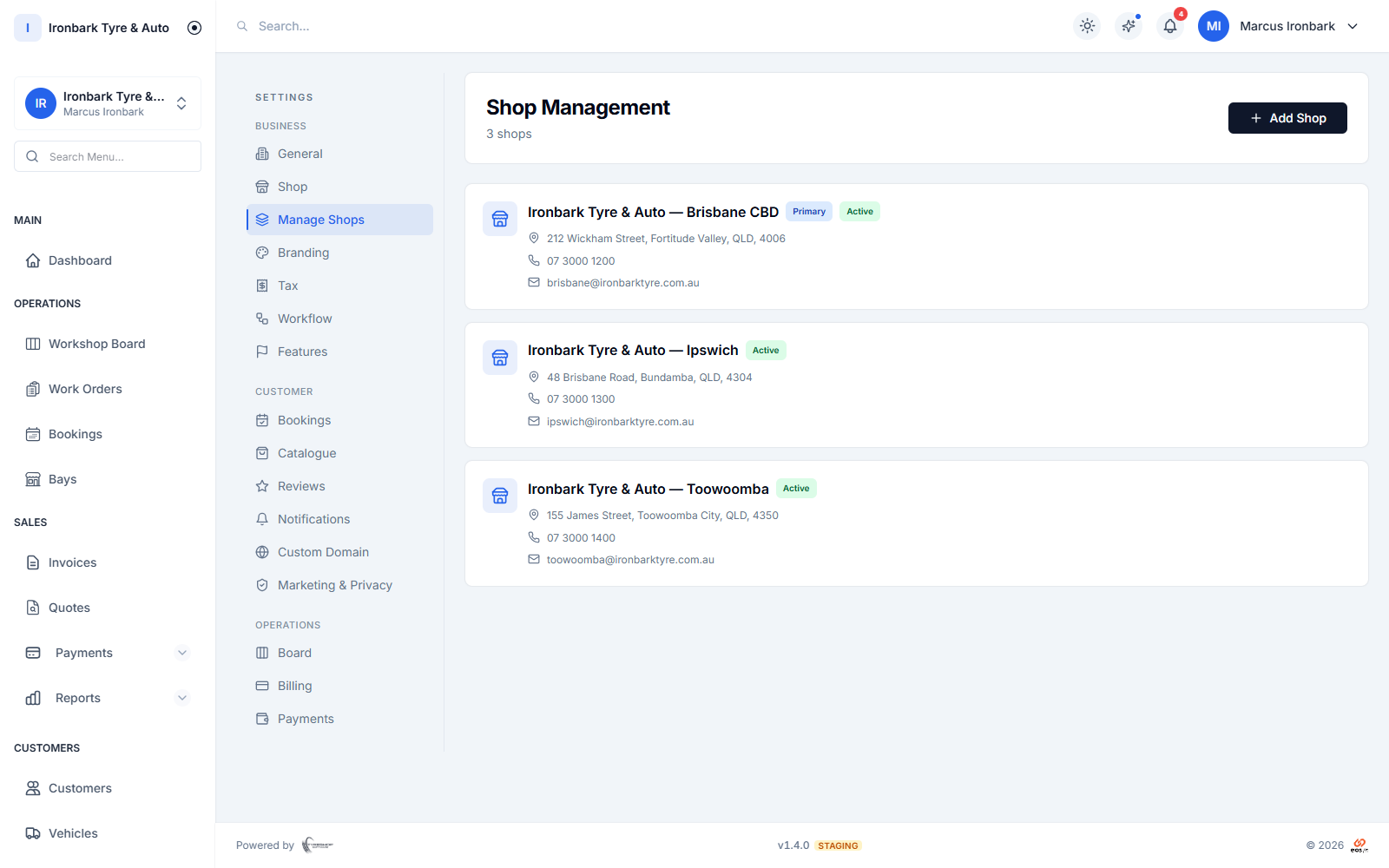
Multi-shop view listing the shop locations managed under one account
Across sites

One view of stock across every shop

Run more than one location and see stock per shop and across the group from a single login. Move a set from a quiet branch to a busy one instead of buying it again. Stock across shops is part of multi-location management, on Enterprise and custom builds.

  • Per-shop stock levels for multi-site shops
  • See the whole group from one login
  • Shift stock between locations
  • On Enterprise and custom builds, priced by contact
How it works

Up and running with stock

  1. 01

    Load your stock

    Add tyres with their Australian sizing and specs, or import your product list by CSV during onboarding. Set a sell price, cost price and reorder point.

  2. 02

    Sell and fit

    When you invoice a tyre, the count moves automatically. Search by size at the counter to see what is on hand before you quote.

  3. 03

    Reorder in time

    Low-stock alerts flag what is running down, and you can raise a purchase order straight from the items that need reordering.

FAQ

Stock questions

Does stock understand tyre sizes?

Yes. Stock is tracked against normalised Australian tyre sizing, so a search by size and fitment returns exactly what fits rather than a loose text match.

Do I have to adjust stock by hand after a sale?

No. Stock moves automatically when you invoice a tyre, so your on-hand count matches the racks without a manual adjustment.

Can I see stock across more than one shop?

Yes, on Enterprise and custom builds. You can see stock per shop and across the group from one login. The public Starter and Professional plans each run a single shop, so cross-shop stock comes with multi-location management, which is priced by contact.

Will it tell me what to reorder?

Yes. Set a reorder point on each item and low-stock alerts flag the sizes running down, so you can raise a purchase order before you run out.

See stock in your own shop

Start a 14-day free trial of TyreShop Software and run stock alongside the rest of the platform. No credit card required.

14-day free trial. No credit card required.