
Solution: cash flow admin

Quote the job, send the GST invoice and keep track of payment

Prepare the price, finish the paperwork and see what is still owing without rebuilding the job in another system.

  • GST tax invoices
  • Branded PDFs
  • Stripe pay-by-link
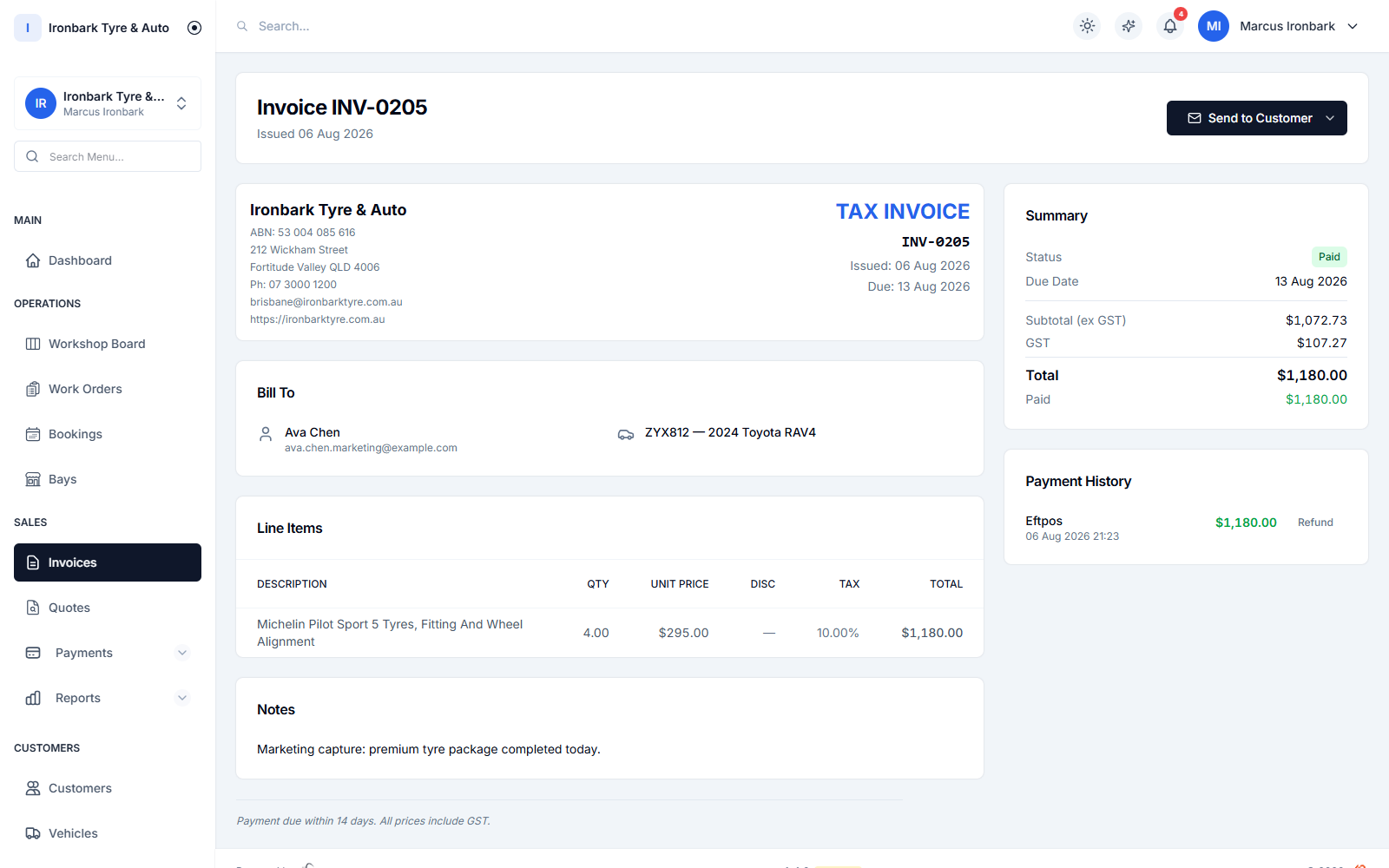
Branded GST tax invoice in TyreShop Software
How TyreShop helps

A simpler way to handle this part of the day

TyreShop keeps the quote, customer, vehicle, invoice and payment status together. Send a branded GST invoice or payment link, record part payments and see the remaining balance.

A better way to run the day

Get the paperwork out while the job is fresh

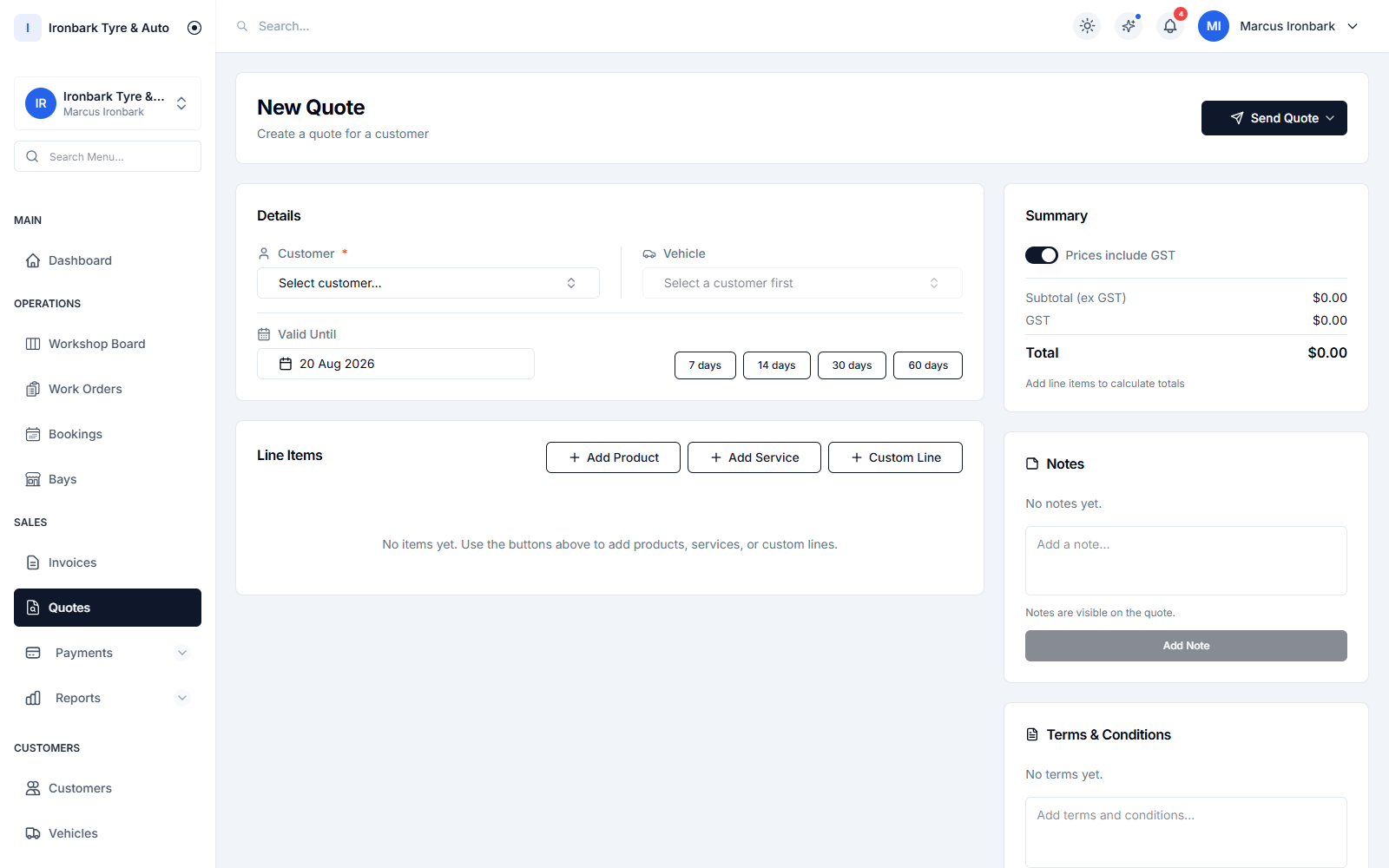
Itemised tyre and workshop quote being prepared
Before the job

Price the work in a reusable record

Build the quote around the customer, vehicle, products and services so the accepted work already has the context needed downstream.

  • Itemised quotes
  • Customer and vehicle attached
  • PDF delivery
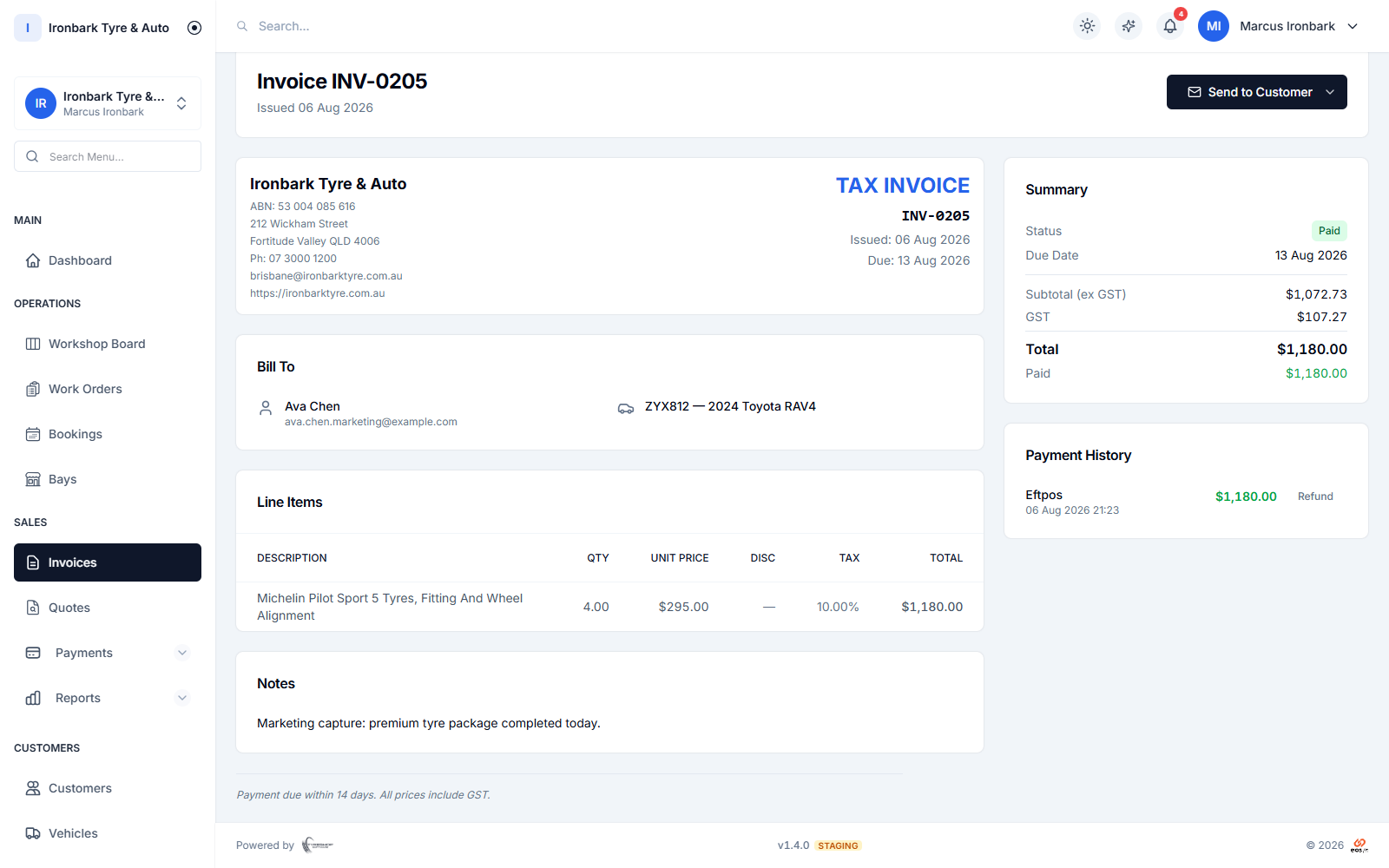
Completed invoice with customer, vehicle and payment details
After completion

Raise the tax invoice from known work

Use the same connected data to produce a GST tax invoice with your business details instead of typing the job into another tool.

  • ABN and GST
  • Logo and terms
  • GST-inclusive or exclusive lines
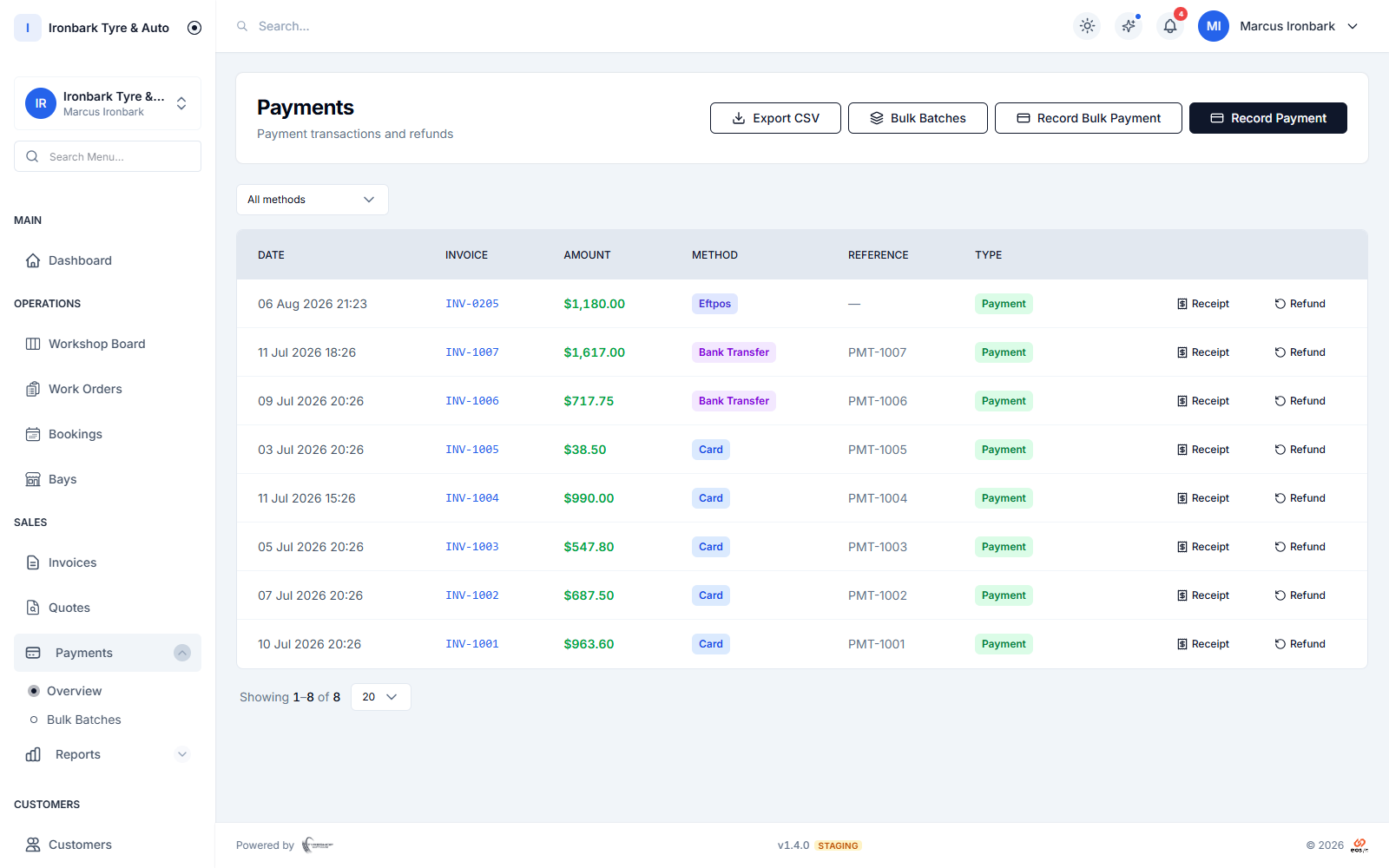
Workshop payments recorded against customer invoices
At payment

Give customers a clear way to pay

Send a Stripe pay-by-link and keep the payment status against the invoice. TyreShop Software does not store the customer’s card details.

  • SMS or email link
  • Partial payment recording
  • Outstanding balance
How it works

From price to payment

  1. 01

    Create the quote

    Itemise the products and work for the customer and vehicle.

  2. 02

    Complete the work

    Carry the accepted details through the job record.

  3. 03

    Invoice and record payment

    Send the tax invoice and keep its balance current.

What helps you do it

See the TyreShop tools used here

Invoicing

Quotes, GST tax invoices and pay-by-link.

See how it works

Customers and vehicles

Keep billing attached to history.

See how it works

Reports

Review sales and invoice information.

See how it works
You may also want to

Improve another part of the shop

Common questions

What shop owners usually want to know

Are the invoices suitable for Australian businesses?

Invoices are designed as GST tax invoices and can include your ABN, logo and payment terms. You remain responsible for entering correct business and tax information.

Can customers pay by card?

You can send a Stripe pay-by-link by SMS or email. Stripe handles the card details; TyreShop Software records the payment against the invoice.

Does it sync live with Xero or QuickBooks?

No live accounting sync is advertised yet. CSV exports are available for customers, invoices, products, payments and work orders.

Try TyreShop with the way your shop works

Start with a real job, booking or stock list and see whether it makes the day easier.