Job cards

Job card software that replaces the paper clipboard

A paper job card gets lost, smudged or rewritten at the counter. TyreShop Software turns the job card into a digital work order linked to the customer, vehicle, bay, technician, line items and invoice, so the same job carries through the whole day.

14-day free trial. No credit card. 50 free SMS to get started.

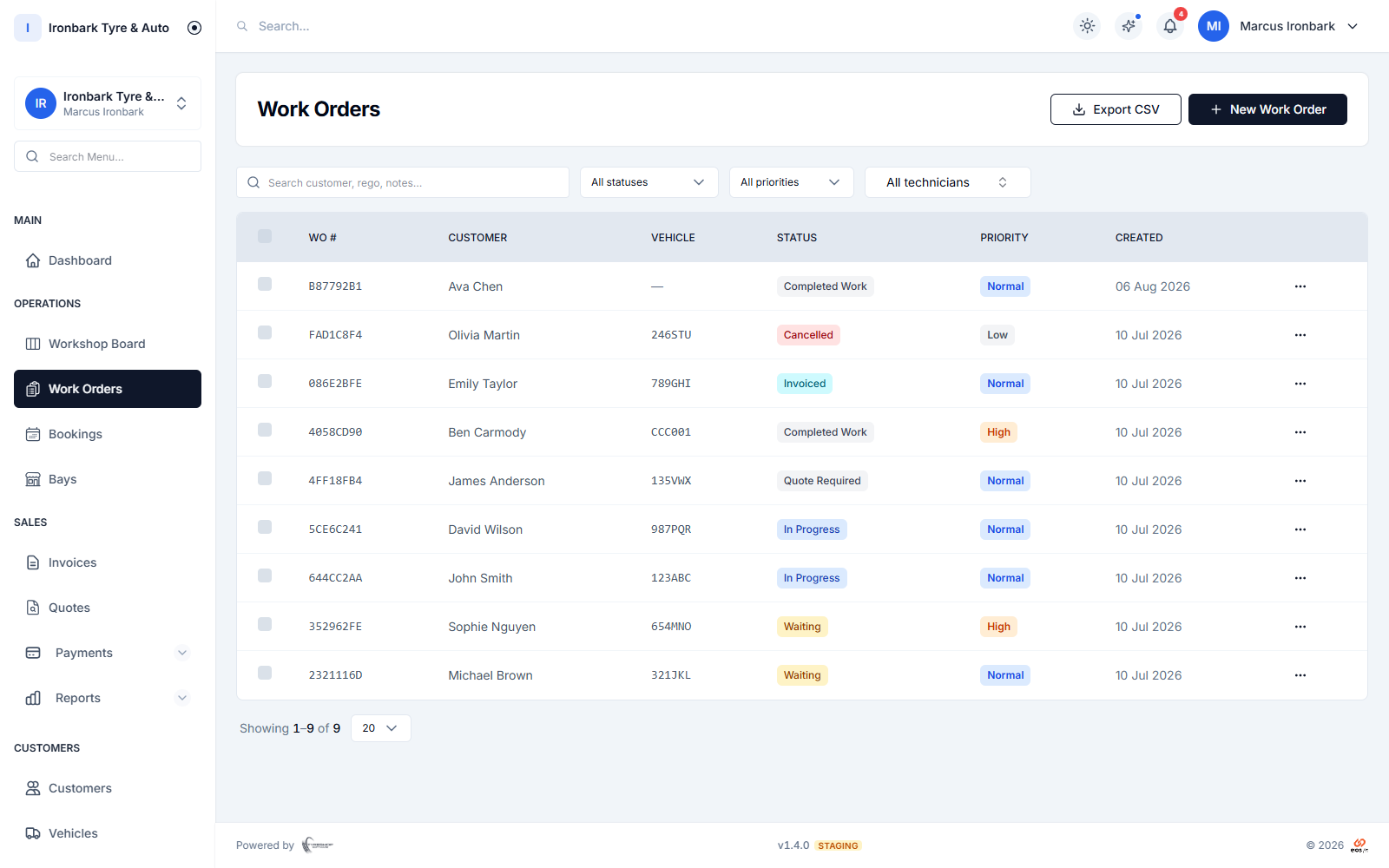
Work order list showing customers, vehicles, workshop status, priority and created date
Why job card software

What you get

Digital work orders

Create job cards with customer, vehicle, service and line item detail in one place.

Shared board

Move the job through the workshop board as the work progresses.

Technician and bay assignment

Assign each job to the person and bay doing the work.

Invoice from done

Turn the finished job into a GST tax invoice without re-keying.
How it works in your shop

Job card software in practice

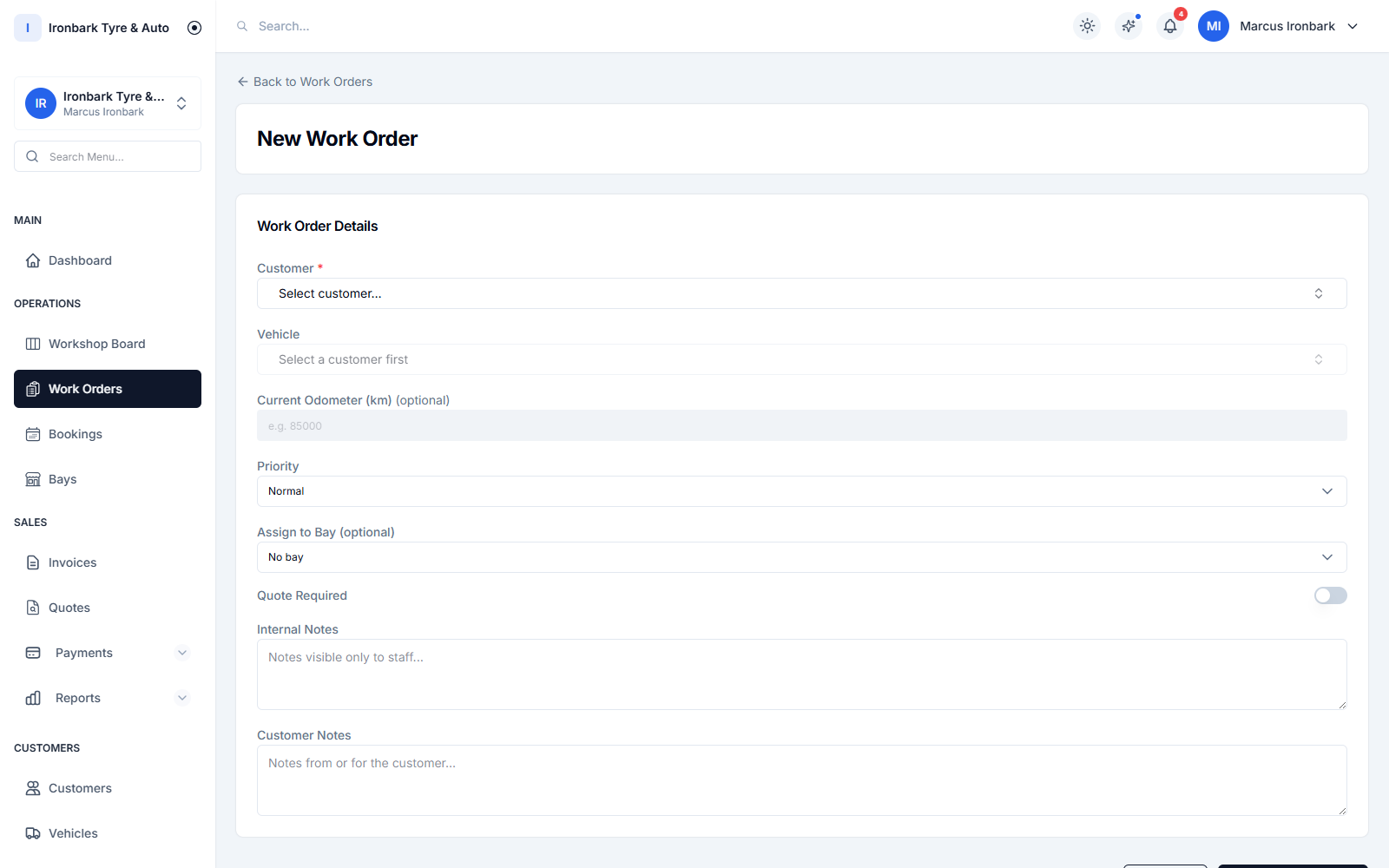
Creating a work order with tyre line items and an assigned bay and technician
Open the job

A job card with the right context

The work order carries the customer, vehicle and job detail, so the fitter and the counter are reading the same record.

  • Customer and vehicle attached
  • Bay and technician assignment
  • Notes and line items together
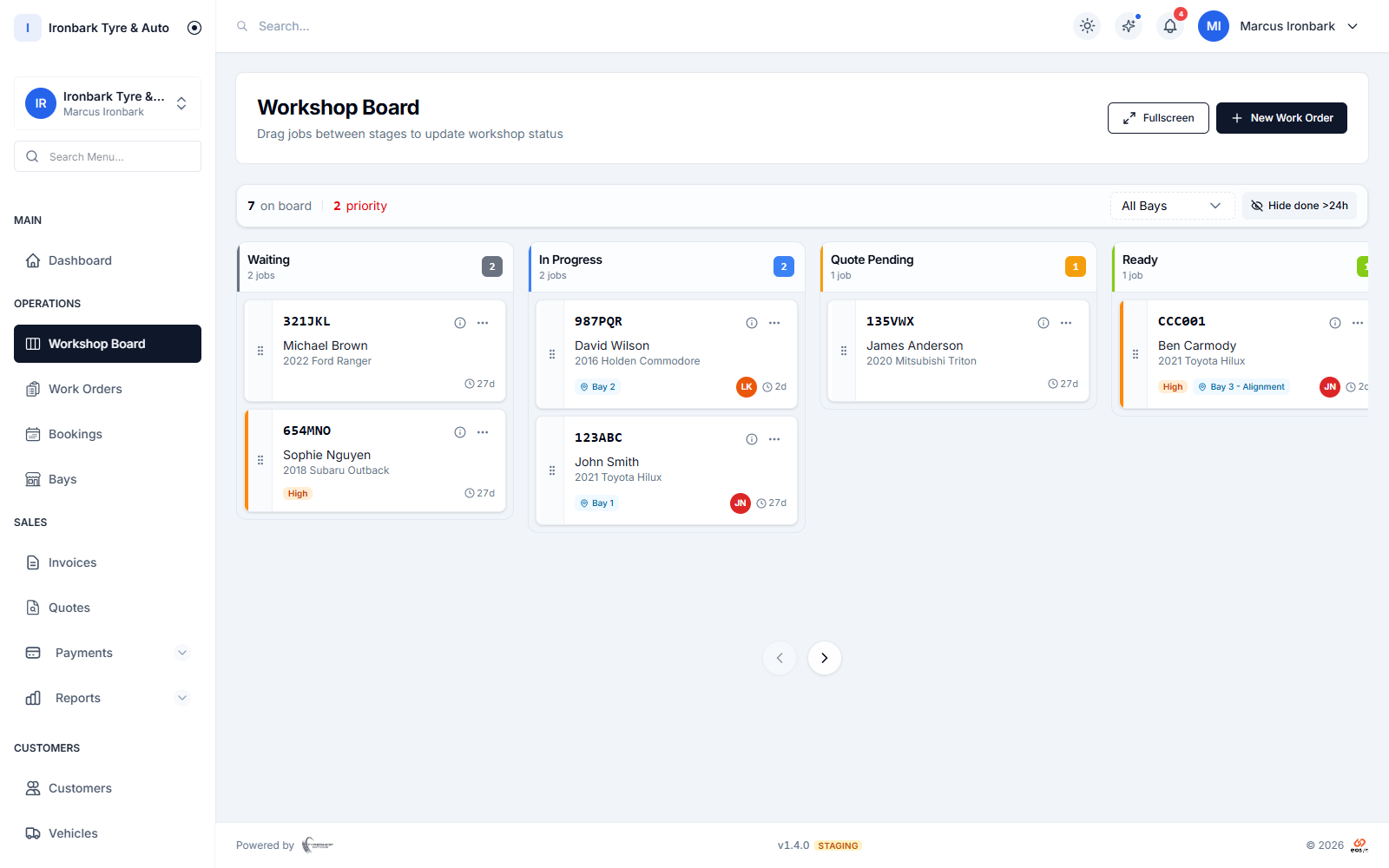
Workshop job board with Waiting, In Progress, Quote Pending and Ready columns, each card showing the vehicle, rego, bay and technician
Run the work

Move the card across the board

The board gives the job a clear stage, from waiting to in progress to ready, so the counter can answer customer questions quickly.

  • Shared board
  • Custom stages
  • Filter by bay or technician
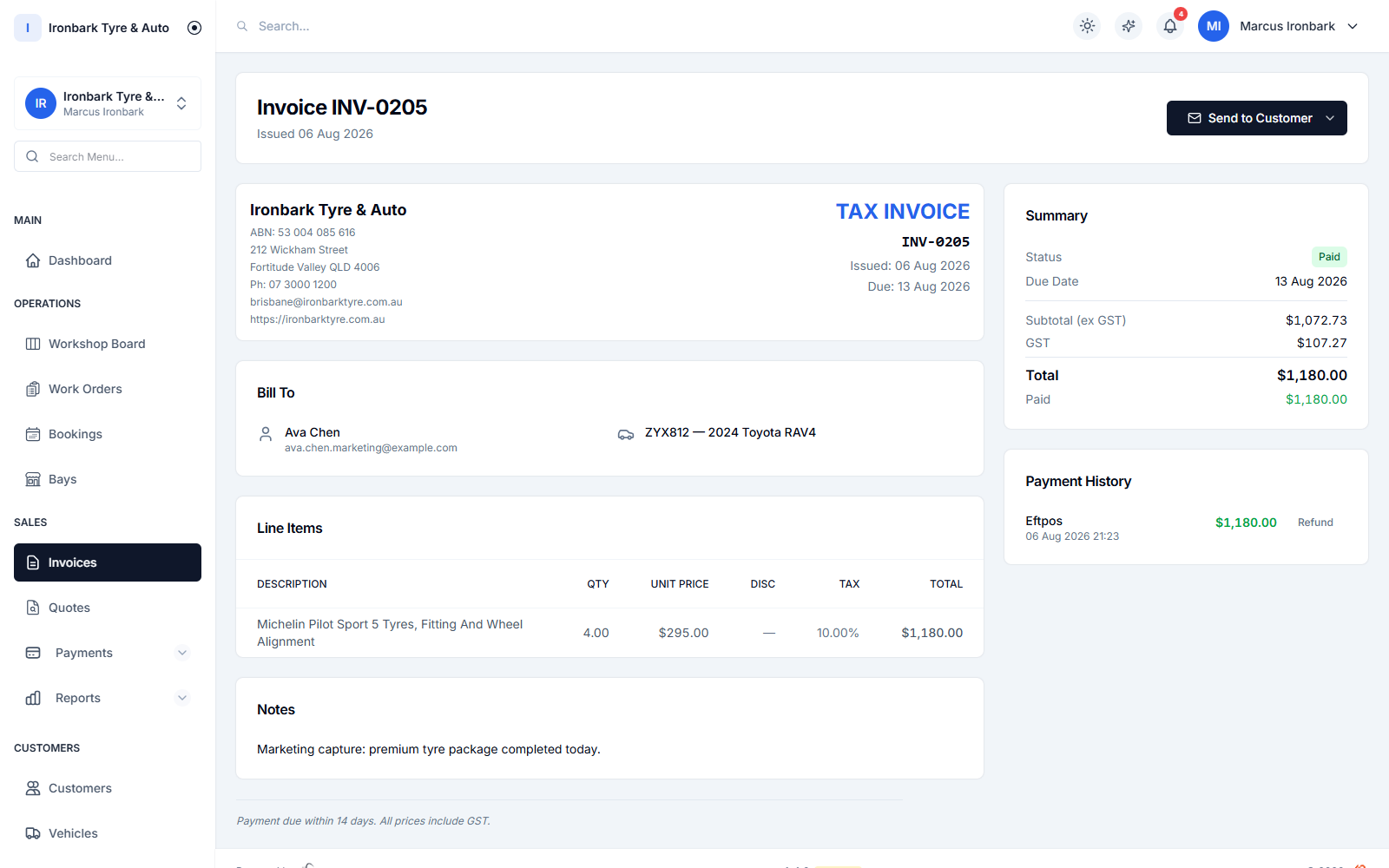
GST tax invoice showing the ABN, tyre line items, GST breakdown and total, marked paid
Close the loop

From job card to GST invoice

When the work is done, the same record creates the invoice and keeps payment tied to the job.

  • GST tax invoice
  • Pay-by-link
  • Payment history
How it works

Up and running with job card software

  1. 01

    Create the card

    Open a job from a booking or from the counter.

  2. 02

    Run it on the board

    Assign the work and move the card as the job progresses.

  3. 03

    Invoice the job

    Finish with a GST tax invoice and payment record.

FAQ

Job card software questions

What is a job card?

A job card is the record of work to be done on a vehicle. In TyreShop Software it is a digital work order linked to the customer, vehicle, bay, technician, line items and invoice.

Can I print job cards?

Yes. Work orders and job documents can be printed in A4, A5 and 80mm thermal formats where the workflow needs paper in the bay.

Can a job card become an invoice?

Yes. A finished job carries the customer, vehicle and line items, so you can create a GST tax invoice without re-keying the job.

See job card software in your own shop

Start a 14-day free trial of TyreShop Software and run job card software alongside the rest of the platform. No credit card required.

14-day free trial. No credit card required.