
Workflow modes

Workshop workflow modes that match how your shop actually runs

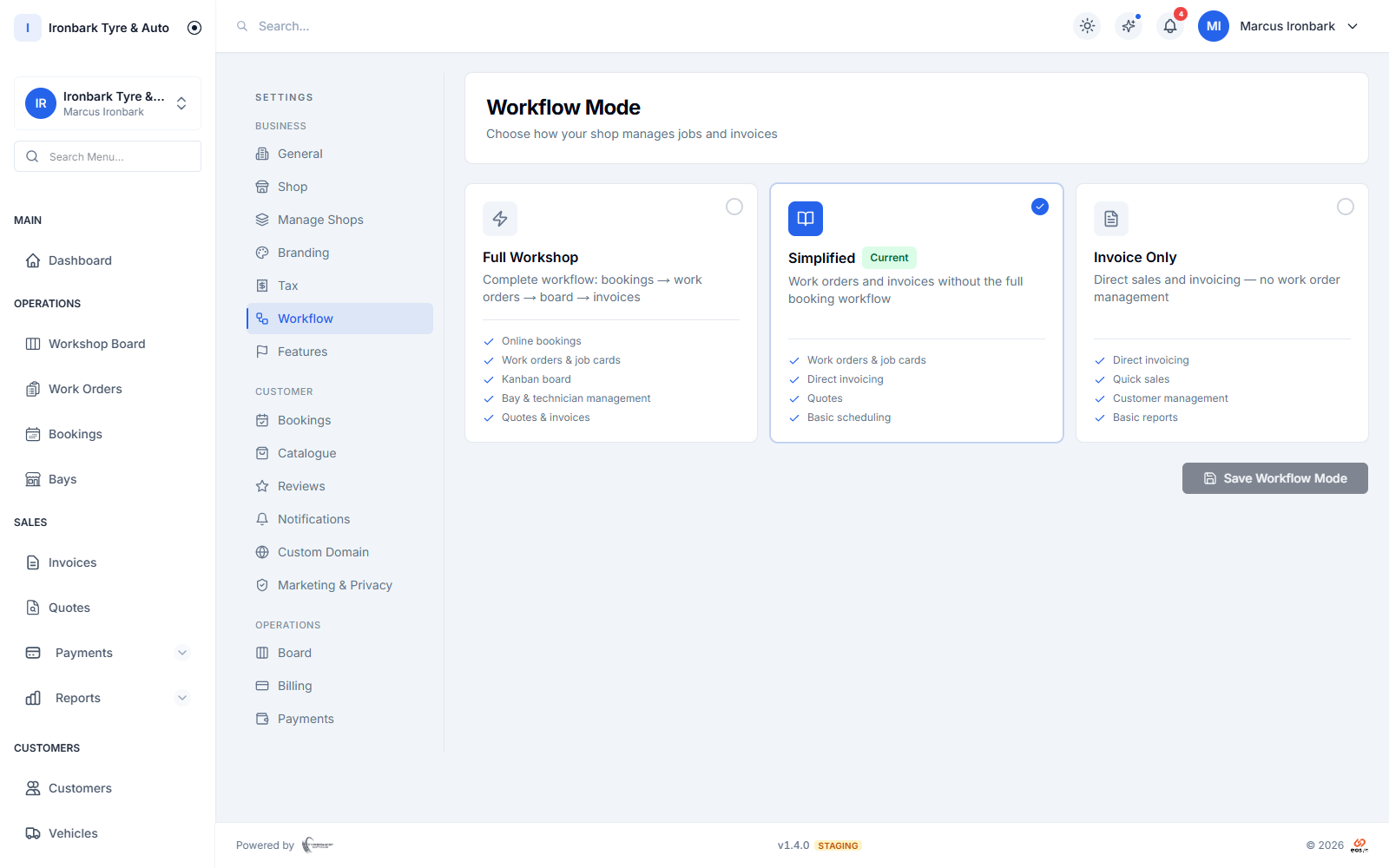
Flexible workflow modes let the software match how your counter runs. Take the full flow from booking to work order to invoice, a simplified flow for quick work orders, or invoice-only for walk-up cash sales. Switch modes any time in settings without rebuilding your setup, and you never lose a thing.

14-day free trial. No credit card. 50 free SMS to get started.

Workflow mode settings for full, simplified or invoice-only operation
Why workflow modes

What you get

Full flow

Run the strict path from booking to work order to GST invoice, for shops that want every job tracked end to end.

Simplified flow

Skip straight to quick work orders and on to invoicing, for a busy counter that does not need the full booking path on every job.

Invoice-only

Take a walk-up or a cash sale straight to a GST invoice, with no job file, for quick over-the-counter work.

Switch any time

Change modes in settings whenever your shop changes, and nothing you have already entered is lost.
How it works in your shop

Workflow modes in practice

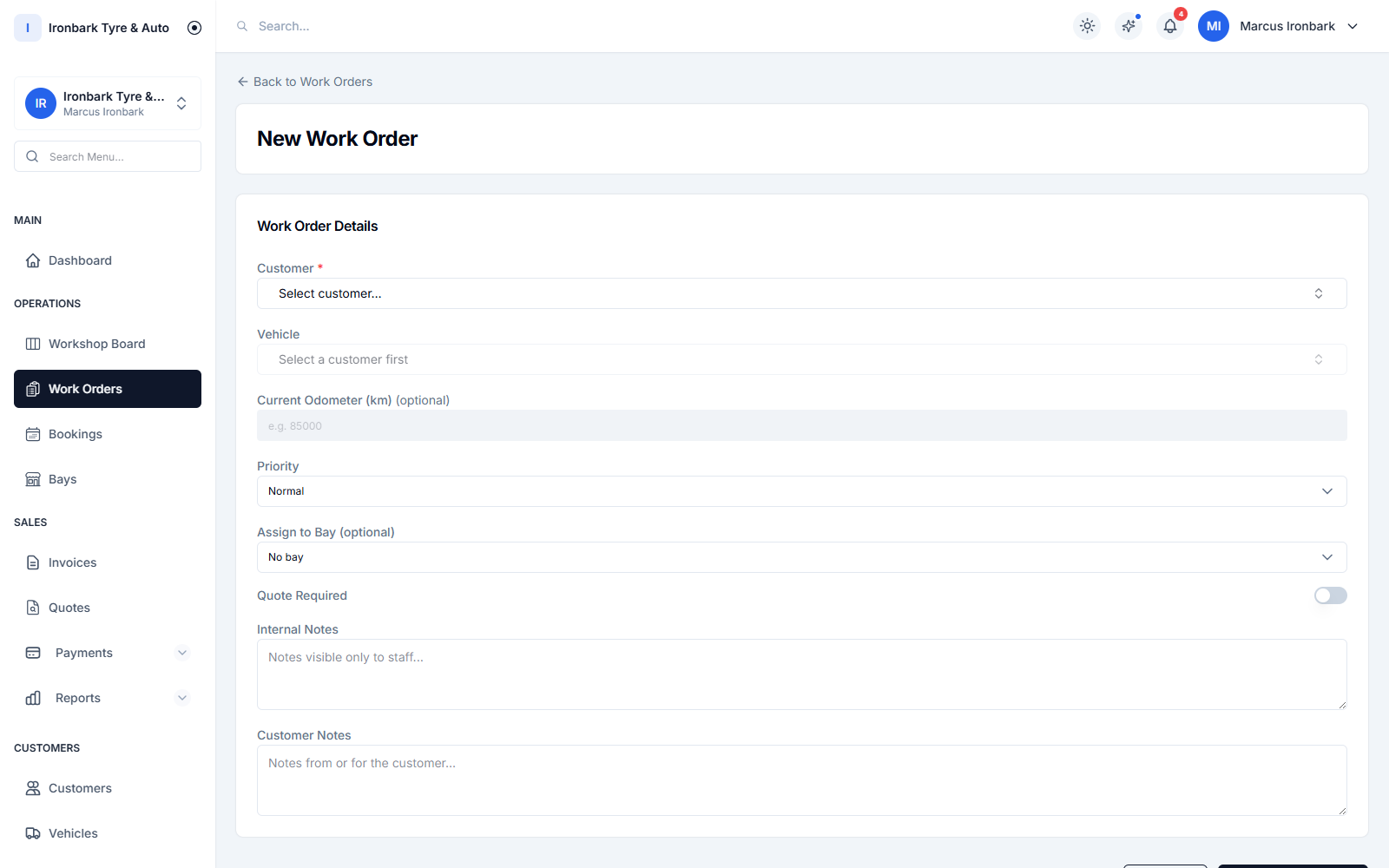
Creating a work order with tyre line items and an assigned bay and technician
Full

The full flow, booking to invoice

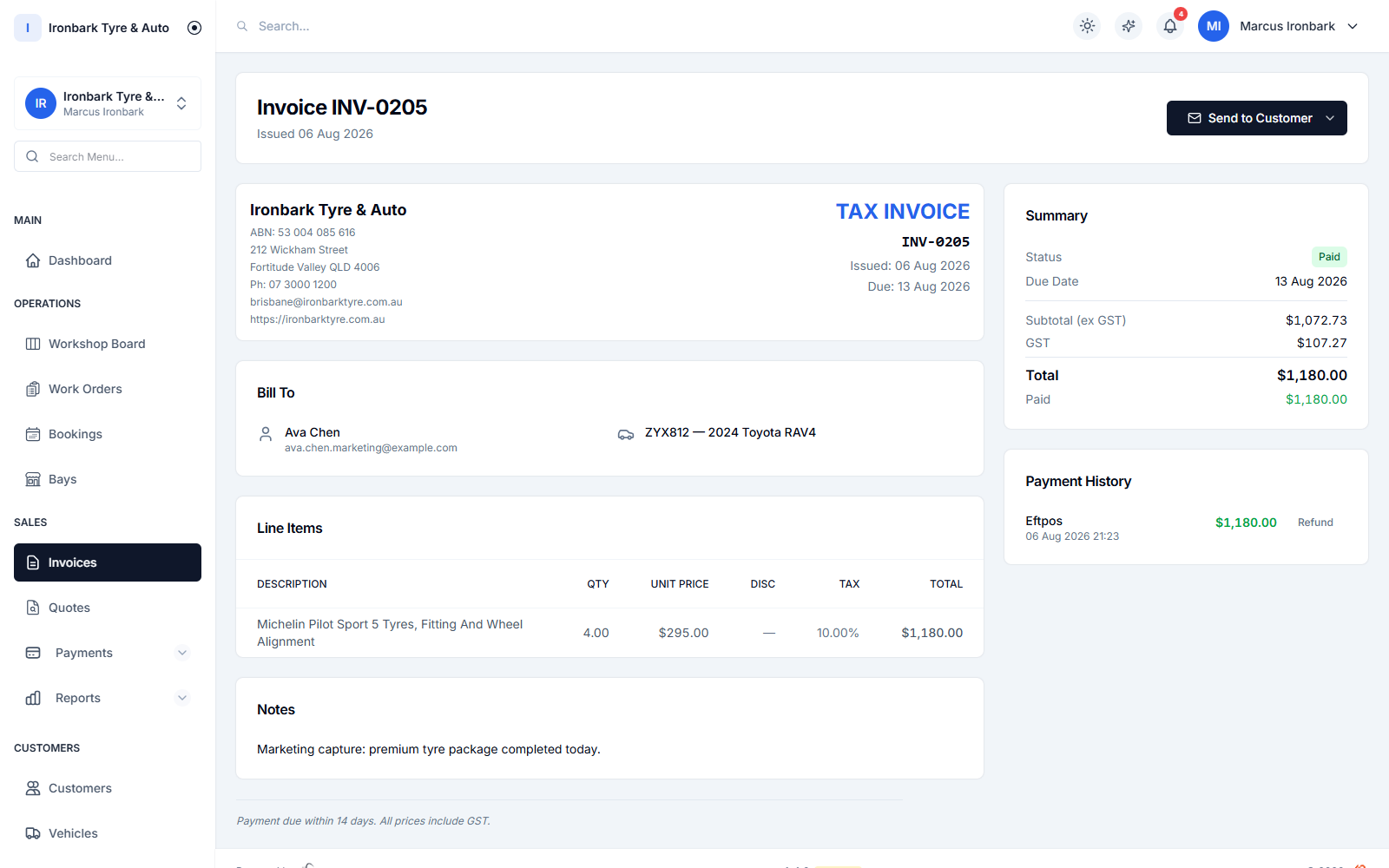
The full workflow runs every job the long way on purpose: a booking becomes a work order on the job board, then a GST invoice. It suits shops that want every job scheduled, tracked through the bays and reconciled at the end.

  • Booking to work order to invoice
  • Every job on the workshop board
  • Full tracking through the bays
  • Best for shops that book work in
GST tax invoice showing the ABN, tyre line items, GST breakdown and total, marked paid
Simplified

Quick work orders for a busy counter

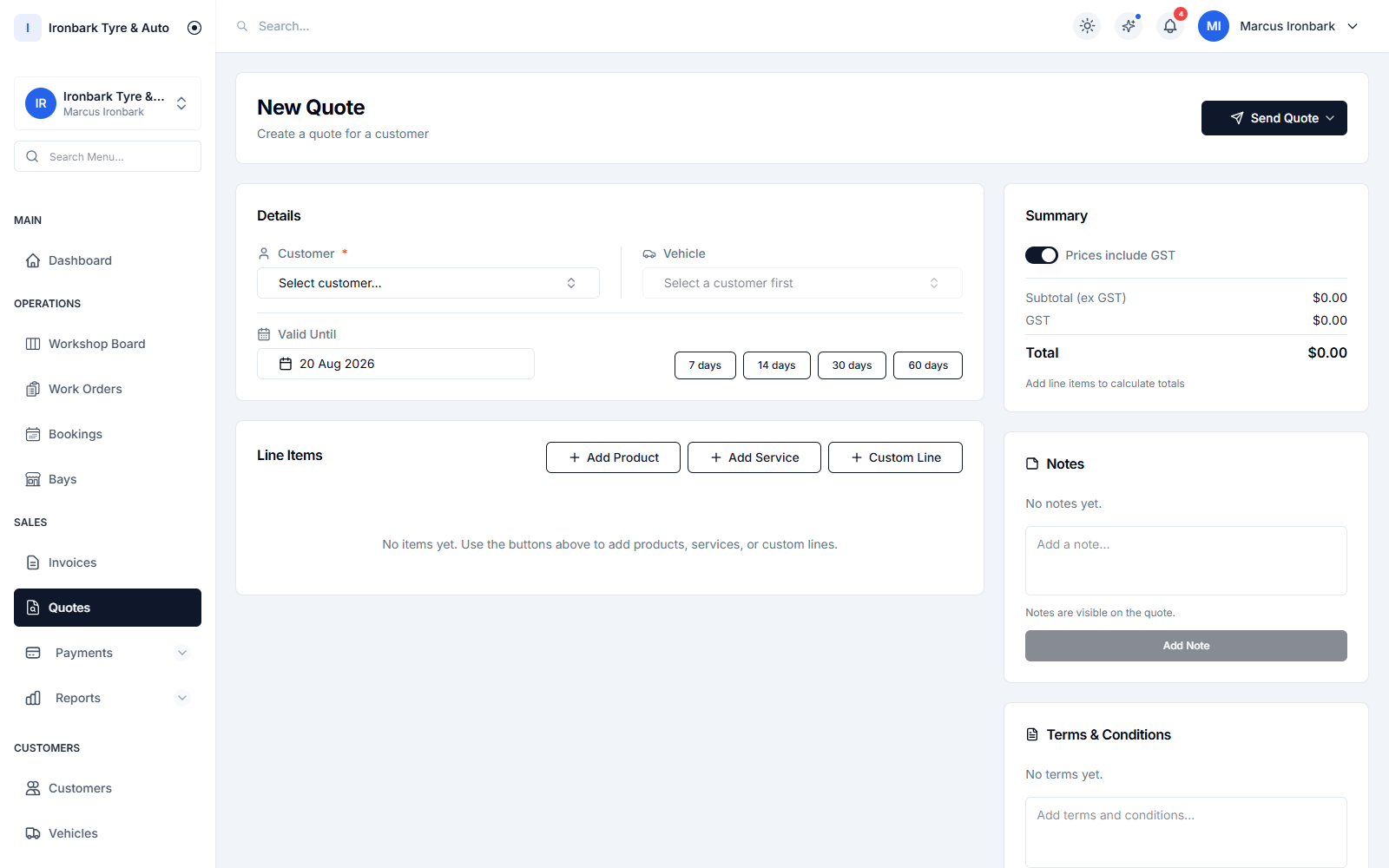
Simplified mode drops the booking step and takes a quick work order straight to invoice. For a shop that mostly handles walk-ins but still wants a job card, it keeps the counter moving without extra clicks.

  • Quick work order straight to invoice
  • No booking step required
  • Still keeps a job card
  • Best for mostly walk-in shops
Building a quote with a tyre and services picker and GST-inclusive lines
Invoice only

Walk-ups and cash sales, no job file

Invoice-only mode is for over-the-counter sales that do not need a job file at all. Ring up a walk-up or a cash sale straight to a GST invoice and move on. Switch back to a fuller mode any time.

  • Walk-ups and cash sales
  • Straight to a GST invoice
  • No job file needed
  • Change modes without losing data
How it works

Up and running with workflow modes

  1. 01

    Pick your mode

    Choose full, simplified or invoice-only in settings, based on how your counter actually works.

  2. 02

    Run your jobs

    The platform follows the path you picked, from the full booking-to-invoice flow to a straight cash sale.

  3. 03

    Change any time

    Switch modes whenever your shop changes, and nothing you have already entered is lost.
FAQ

Workflow modes questions

What are the workflow modes?

There are three: full runs booking to work order to invoice, simplified takes a quick work order to invoice, and invoice-only rings up walk-ups and cash sales straight to a GST invoice.

Can I change modes later?

Yes. Switch modes in settings any time your shop changes, and nothing you have already entered is lost.

Which mode suits a mostly walk-in shop?

Simplified or invoice-only usually suit a walk-in shop. Simplified keeps a quick work order, while invoice-only goes straight to a GST invoice with no job file.

Is workflow modes on every plan?

Yes. The three workflow modes are available on every plan, so the software matches how your shop runs from day one.

See workflow modes in your own shop

Start a 14-day free trial of TyreShop Software and run workflow modes alongside the rest of the platform. No credit card required.

14-day free trial. No credit card required.