
Guide

What is a job card?

A job card is the workshop record of work to be done on a vehicle. It usually captures the customer, vehicle, requested work, technician, parts, notes and status. In TyreShop Software, the job card is a digital work order that can move across the workshop board and become a GST tax invoice when the job is finished.

By TyreShop Software · Updated

  • Digital work orders
  • A4, A5 and 80mm printing
  • GST invoice handoff

What a workshop job card records

A job card gives the counter and technician a shared record of a vehicle visit. It starts with what the customer has asked for, then captures the work actually performed. A useful card separates the reported concern from the technician's findings: "vibration at road speed" is a customer report, while the diagnosis belongs in a separate notes field. This distinction helps the next person understand what was requested and what was checked.

  • Job number, booking date and expected collection time
  • Customer contact, vehicle make and model, registration and odometer
  • Requested work, approved scope, assigned technician and bay
  • Parts or tyres used, labour, findings and completion notes

Example: a two-tyre replacement job

Consider an illustrative visit where a customer requests two replacement tyres and asks the workshop to investigate uneven wear. The counter records the vehicle and contact details, the quoted tyre specification, the requested work and the promised update time. The technician records findings separately and checks the proposed fitment against the vehicle requirements. If additional work is recommended, the counter records the customer's decision before that extra work begins.

  • Requested: replace two tyres and inspect the reported wear
  • Approval: record the agreed scope and any later changes
  • Completed: record actual tyre quantities, services and technician notes
  • Handover: explain findings and link the completed job to its invoice

Job card, work order, quote and invoice: the differences

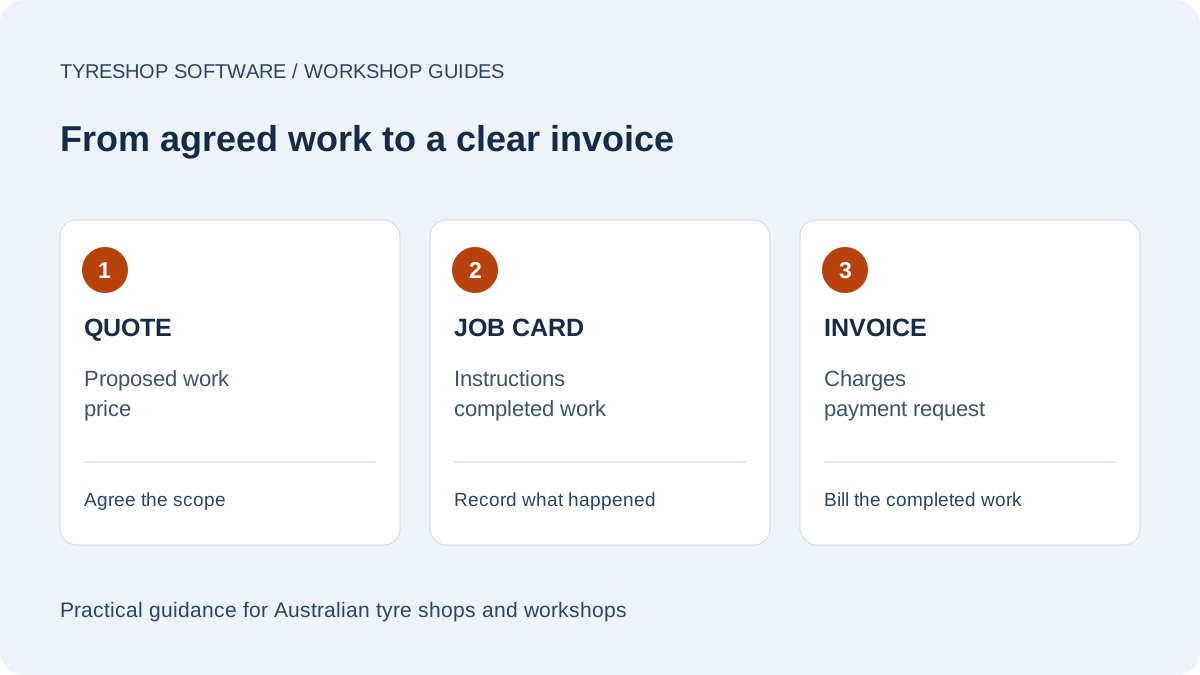
Many workshops use "job card" and "work order" for the same working document. A quote describes the proposed work and price before the job is agreed. The job card records instructions, progress and completed work. An invoice lists what is charged and requests payment. Keeping these roles clear helps prevent an unapproved recommendation from being treated as completed billable work. Use a consistent job reference to connect the documents, whether the records are on paper or in software.

How to use a job card through the day

Create the card when the booking or walk-in is accepted, then check the vehicle and contact details at arrival. Give the technician the current instructions, including any limit on the approved work. Update the record as work progresses rather than relying on a conversation at collection. Before invoicing, compare the completed work with the approved scope, account for the parts used and record anything deferred for a later visit.

  • At arrival: confirm the request and who can approve changes
  • In the bay: record work, findings and changes in status
  • Before collection: review the card and prepare the invoice
  • After handover: retain the record with the vehicle history

Paper or digital job cards?

Paper can suit a small team that needs a simple record beside the vehicle. Use one card per job and a consistent place for active and completed cards. The trade-off is that stock, customer history and invoices may need separate updates. Digital work orders can keep those records connected and make job status visible to the counter. Test the system on the devices used in the bay, including any printing you still need. Cloud software also needs a reliable internet connection.

Common job-card mistakes to avoid

A vague note such as "check tyres" does not explain the customer's concern or the approved work. Missing quantities can leave the invoice and stock record out of step. An old phone number can delay approval for additional work. Make the card useful to someone who did not take the original booking: record specific instructions, distinguish recommendations from completed work and note who confirmed any change. Use the free template linked below to establish a consistent starting point.

Workshop documents at a glance
DocumentPurposeWhen it is used
QuoteProposed work and priceBefore approval
Job card / work orderInstructions, progress and completed workDuring the job
InvoiceCharges and payment requestWhen the work is billed
FAQ

Common questions

What information is on a job card?

A job card usually includes the customer, vehicle, requested work, assigned technician or bay, notes, parts or tyres used, job status and the invoice handoff.

Is a job card the same as an invoice?

No. A job card records the work. An invoice requests payment. In digital workshop software, the job card can become a GST tax invoice once the work is finished.

Can job cards be printed?

Yes. TyreShop Software supports work-order and job-document printing in A4, A5 and 80mm thermal formats where a shop still wants paper in the bay.

What is a job card?

A job card is the workshop record of work to be done on a vehicle. It usually captures the customer, vehicle, requested work, technician, parts, notes and status. In TyreShop Software, the job card is a digital work order that can move across the workshop board and become a GST tax invoice when the job is finished.