Multi-shop

Multi-location workshop software that runs every shop from one login

Multi-location workshop software runs each of your shops from a single login. Staff, bays, stock and settings stay separate where they need to be, while reporting pulls the whole group into one view when you want the big picture. Multi-shop management is part of Enterprise and our custom builds, sized and priced with you.

14-day free trial. No credit card. 50 free SMS to get started.

Multi-shop management is an Enterprise and custom-build capability. The public Starter and Professional plans each run a single shop. Enterprise removes the shop, user and product caps and is priced by contact, so tell us how many sites you run and we will size it.

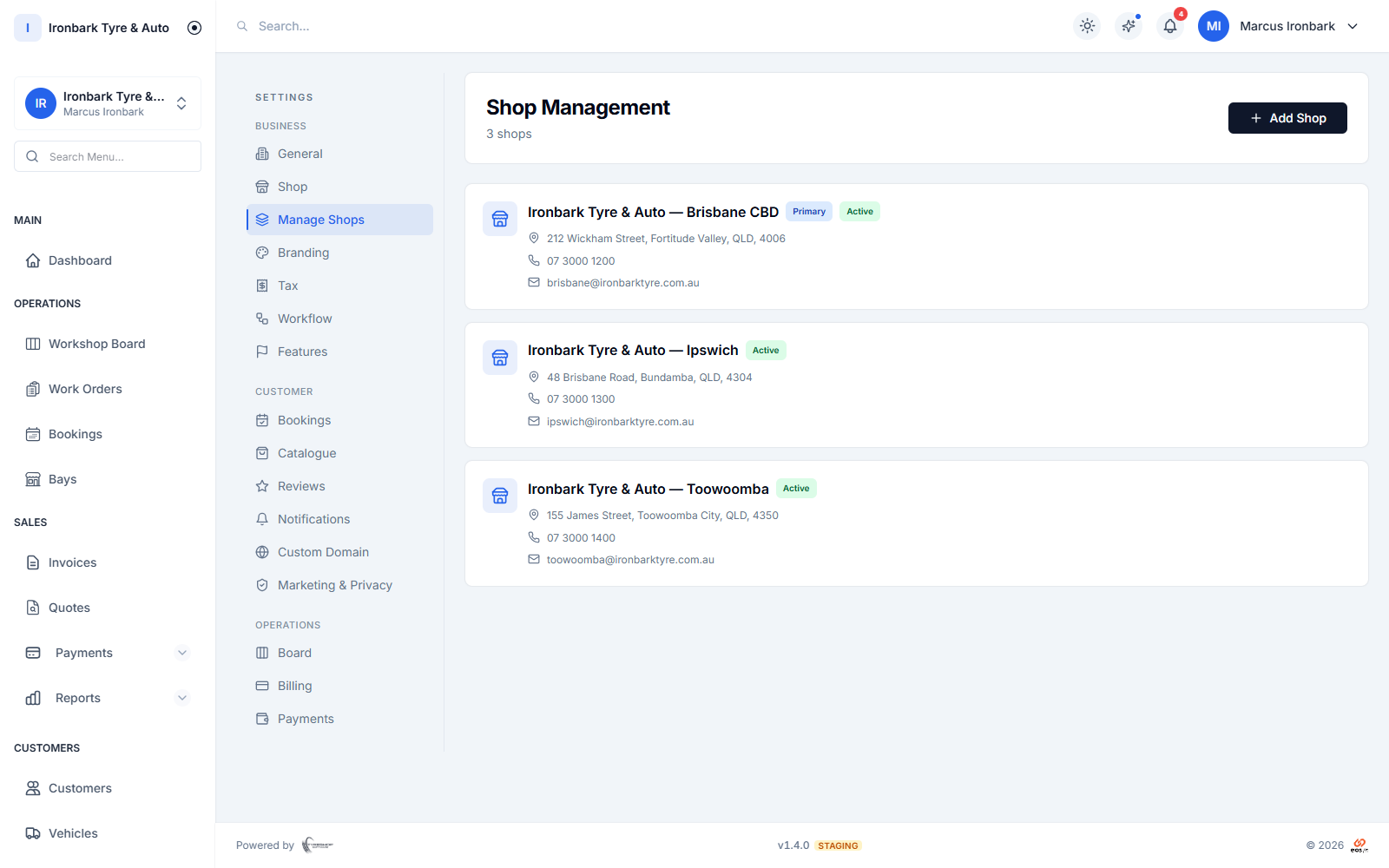
Multi-shop view listing the shop locations managed under one account
Why multi-shop

What you get

One login, every shop

Switch between your shops in a click and manage the lot from a single login, without a separate account per site.

Stock across sites

See stock per shop and across the group, so you can move a set from a quiet branch to a busy one instead of buying it twice.

Consolidated reporting

Reporting rolls every shop into one view when you want the big picture, and filters down to a single site when you want detail.

Separate where it counts

Staff, bays and settings stay separate per shop, so each site runs its own floor while you keep oversight of all of them.
How it works in your shop

Multi-shop in practice

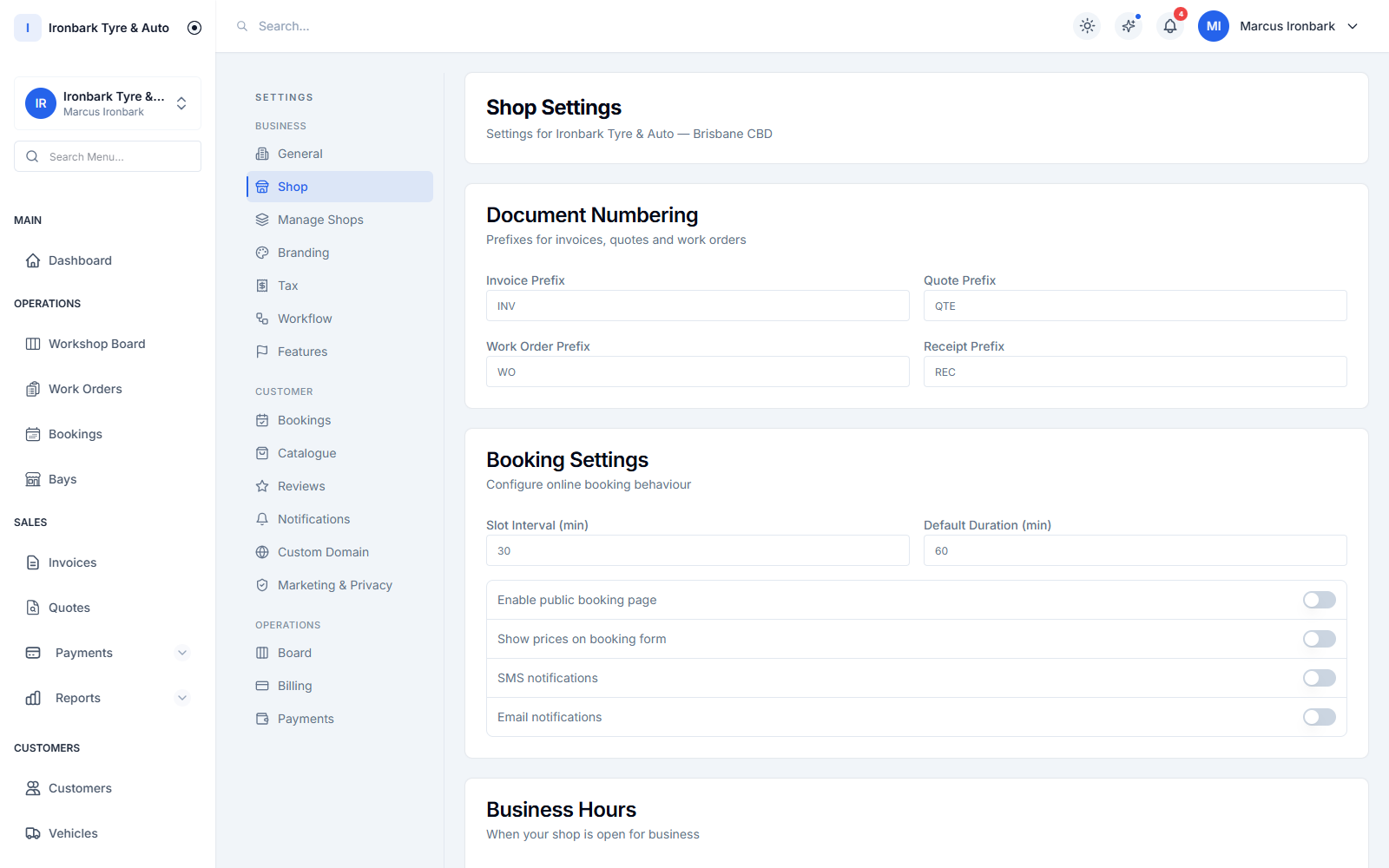
A single shop’s settings with its own bays, staff and stock
Run the group

Every shop from a single login

Add each location and switch between them in a click. There is no juggling separate logins or accounts, and an owner or operations manager can step into any shop without leaving the platform. This runs on Enterprise and custom builds, with no fixed cap on locations.

  • Switch between shops in one click
  • No separate login per site
  • Owner and manager oversight across the group
  • Unlimited shops on Enterprise, priced by contact
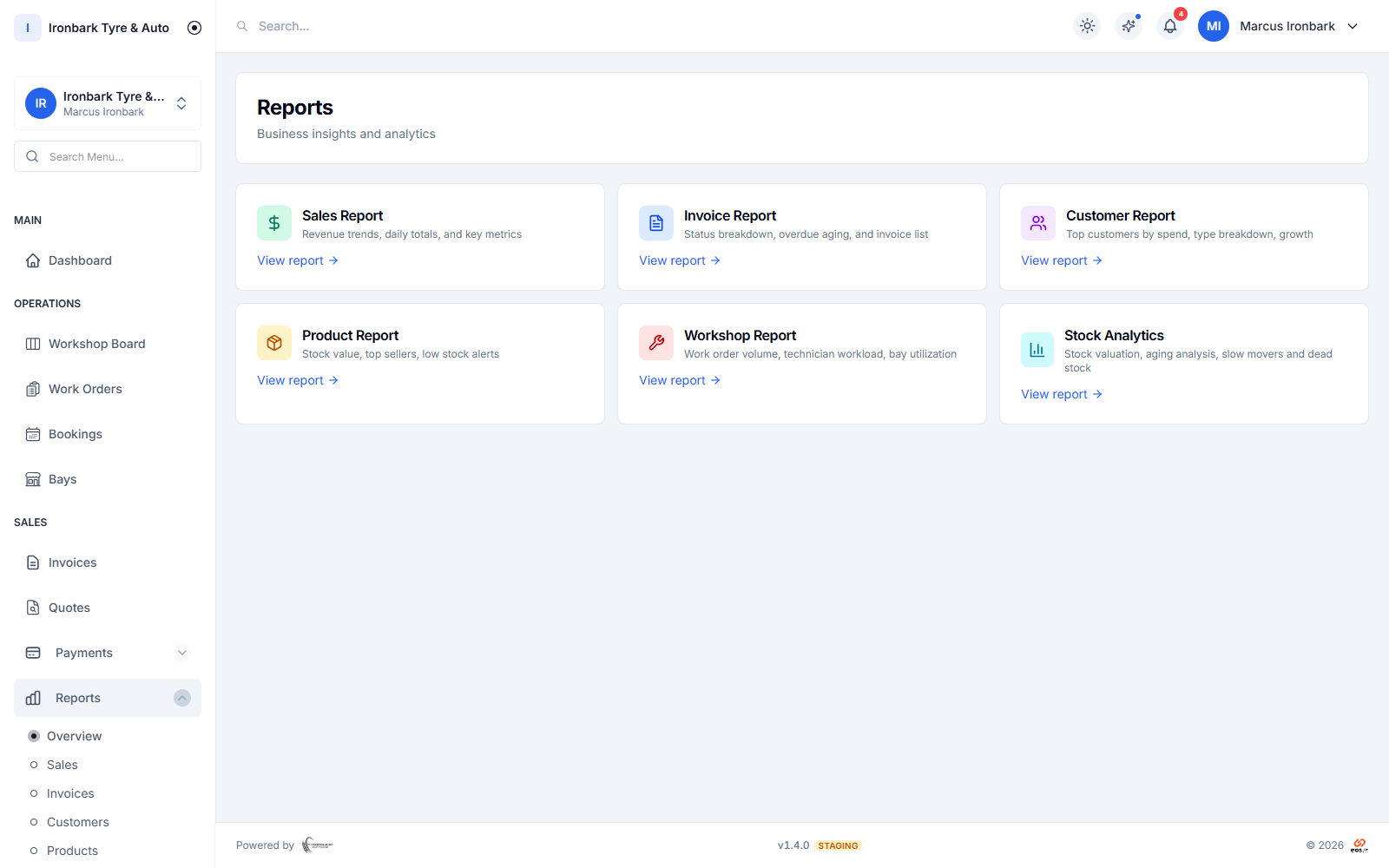
Reporting dashboard with sales, invoice, customer, product, workshop and stock reports
Keep it separate

Staff, bays and stock that stay per shop

Each shop keeps its own staff, bays, stock levels and settings, so the day-to-day at one branch does not spill into another. The right people see the right site, and stock counts stay true per location.

  • Per-shop staff, bays and stock
  • Settings stay separate by site
  • Role-based access per shop
  • Stock counts true at every location
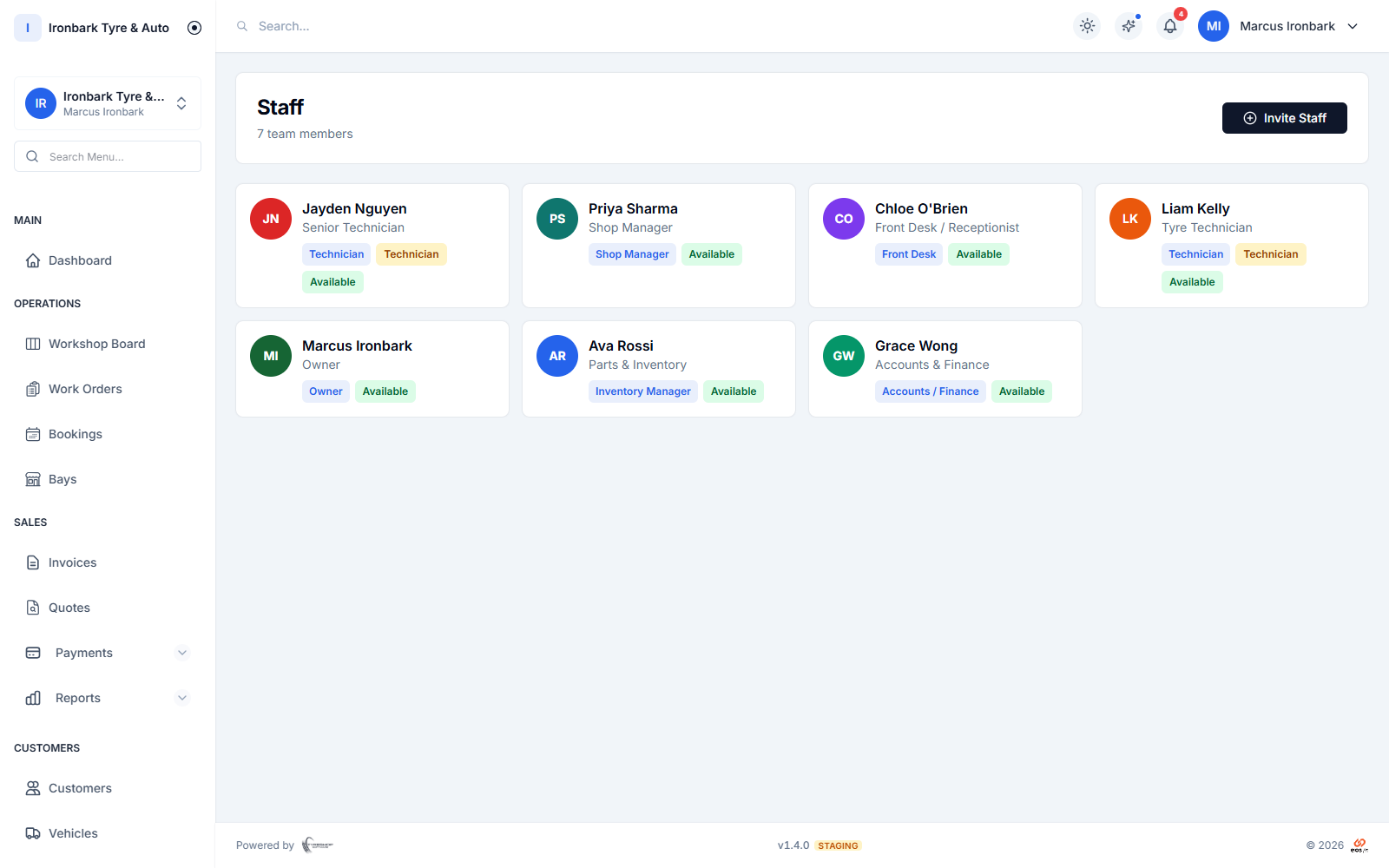
Staff list showing team members and their preset roles
See the whole

Reporting that rolls the group together

When you want the big picture, consolidated reporting pulls every shop into one view: sales, jobs and stock value across the group. Filter down to a single site or technician when you need to dig in.

  • Consolidated multi-shop reporting
  • Sales, jobs and stock across the group
  • Filter by shop or technician
  • One view for the group, detail per site
How it works

Up and running with multi-shop

  1. 01

    Add your shops

    Set up each location with its own staff, bays and stock. There is no fixed cap on locations, so the group is sized with you when we scope it.

  2. 02

    Assign your people

    Invite staff and give them access to the right shop with the right role, so each site runs its own floor.

  3. 03

    Report across the group

    Run consolidated reporting for the big picture, or filter down to a single shop when you want the detail.

FAQ

Multi-shop questions

How many shops can I run?

As many as your group needs. Multi-shop management is not on the public plans: Starter and Professional each run a single shop. Running several shops from one login is part of Enterprise and our custom builds, which have no fixed cap on locations and are priced by contact rather than shown online.

Does each shop keep its own stock?

Yes. Staff, bays, stock and settings stay separate per shop, while reporting can roll the whole group into one view when you want the big picture.

Can I move stock between shops?

Yes. You can see stock per shop and across the group, so you can shift a set from a quiet branch to a busy one instead of buying it again.

Can staff be limited to one shop?

Yes. Give each staff member access to the right shop with the right role, so a front desk at one site does not see another, while owners keep oversight of all of them.

See multi-shop in your own shop

Start a 14-day free trial of TyreShop Software and run multi-shop alongside the rest of the platform. No credit card required.

14-day free trial. No credit card required.