Roles and permissions

Staff roles and permissions that give everyone the right access

Staff roles and permissions start from eight preset roles, from front desk to technician to owner, so everyone sees exactly what they need and nothing they do not. Invite your team and set their access in minutes. Cost prices and profit margins stay locked to owners and managers by default, so the counter can quote without seeing what a tyre cost you.

14-day free trial. No credit card. 50 free SMS to get started.

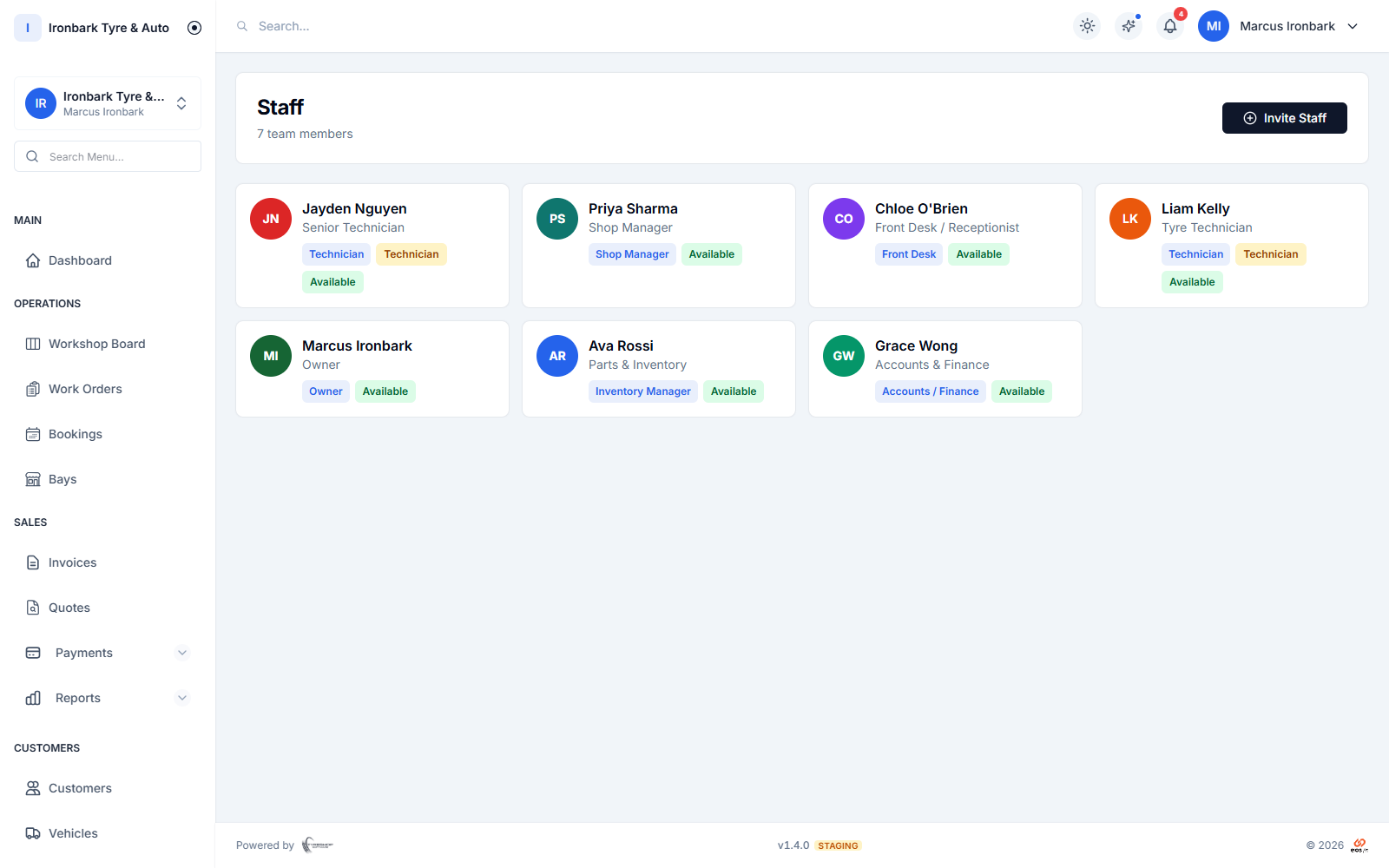
Staff list showing team members and their preset roles
Why roles and permissions

What you get

Eight preset roles

Start from eight built-in roles covering the whole shop, from front desk and technician to inventory, accounts and owner, then adjust the permissions to fit.

Margins locked down

Cost prices and profit margins are hidden from staff by default and visible to owners and managers, so your numbers stay yours.

Invite your team

Send a staff invite and set the person up with the right role in minutes, including a technician profile for the workshop floor.

Activity log of key actions

Key actions are logged, so owners can see important changes across the shop without giving every staff member the same access.
How it works in your shop

Roles and permissions in practice

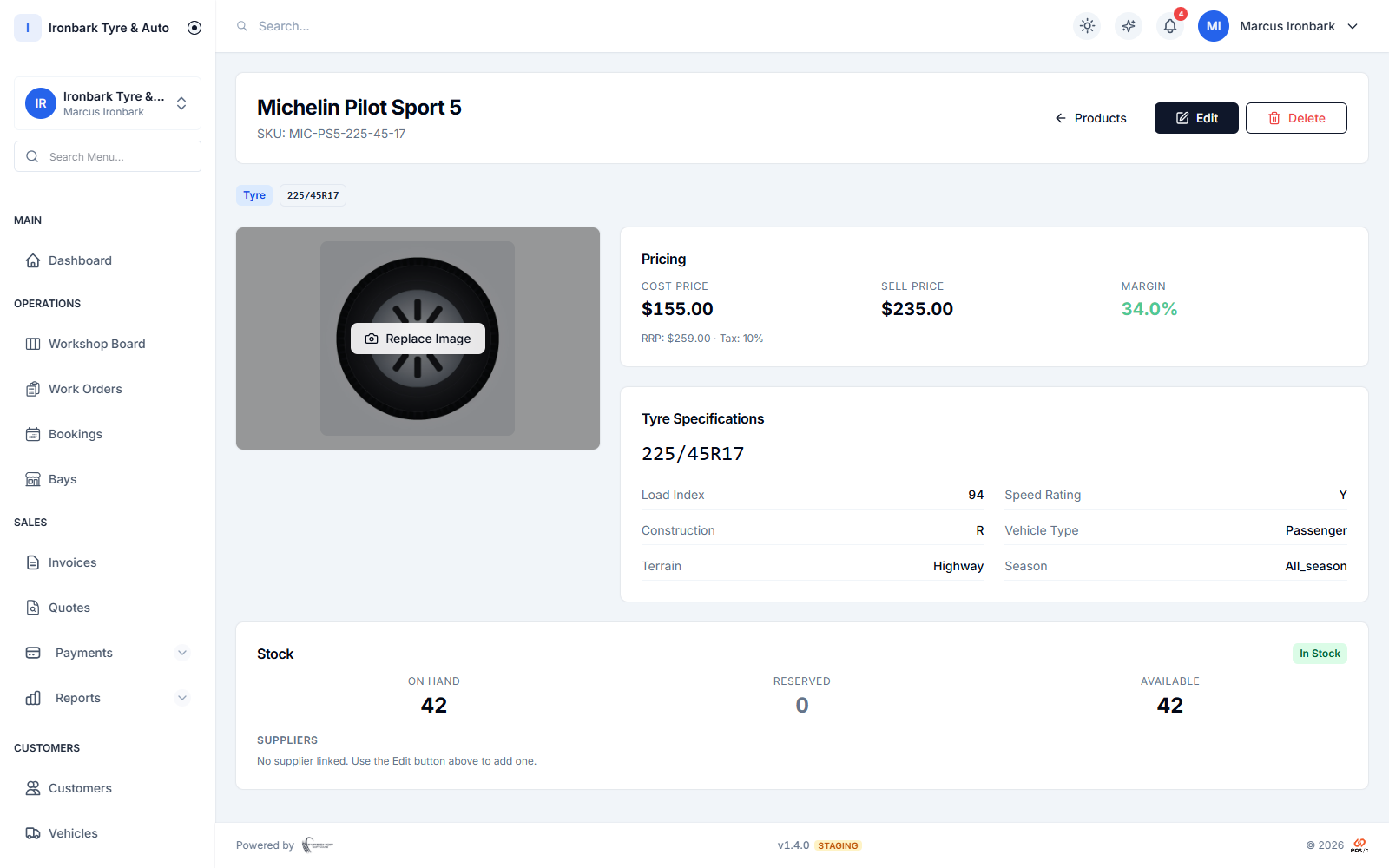
Owner view of a tyre showing cost price and margin
Set access

Eight roles, tuned to your shop

Every team member starts from one of eight preset roles that map to how a tyre shop actually runs, from front desk and technician through inventory and accounts to shop manager and owner. From there you tune the permissions so each person sees exactly what they need.

  • Eight preset roles out of the box
  • Roles for counter, workshop, stock and accounts
  • Granular permissions you can adjust
  • Read-only access for people who just need a look
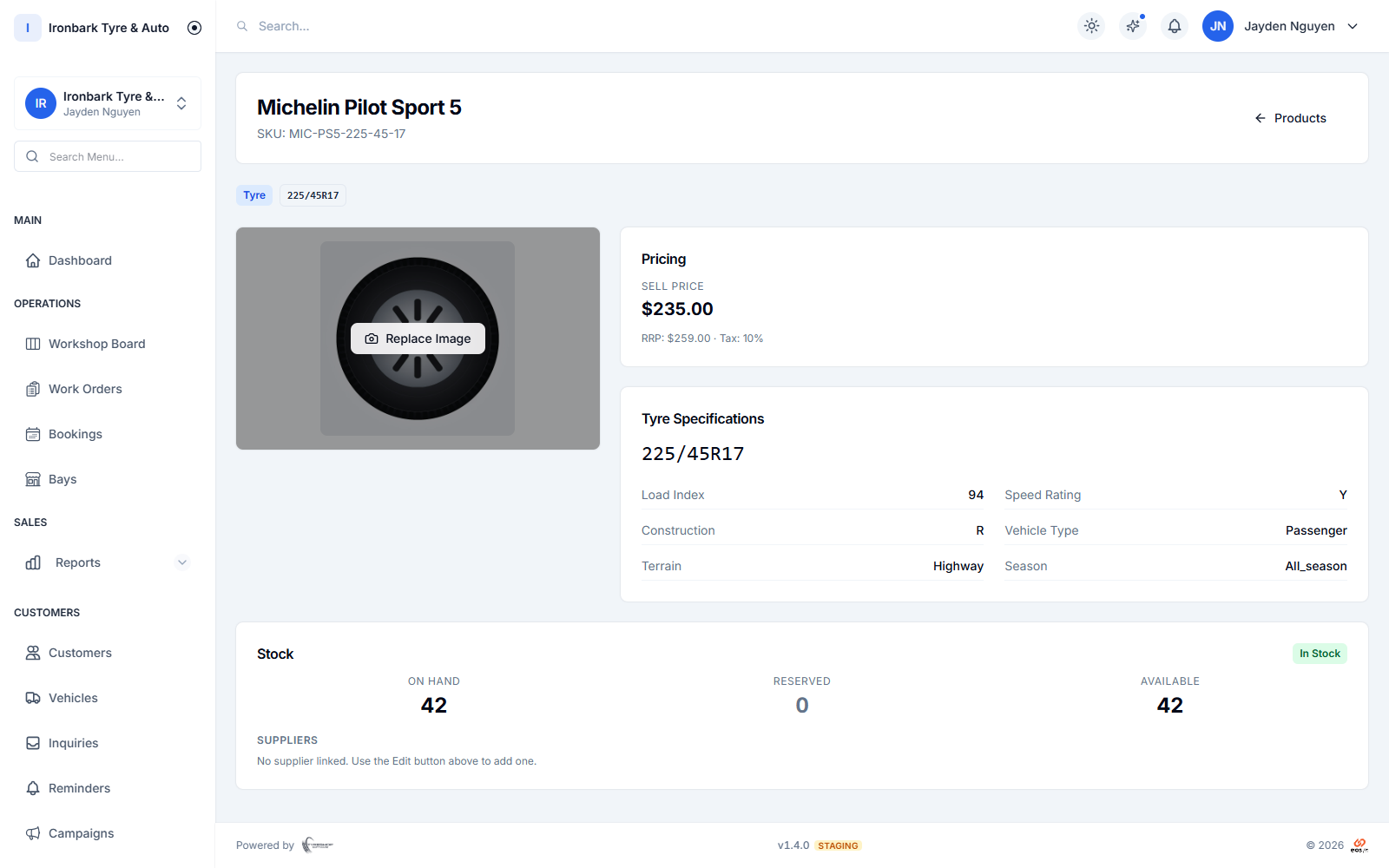
Technician view of the same tyre with cost price and margin hidden
Protect the numbers

Cost and margin locked to the right people

Cost prices and profit margins are hidden from general staff by default and shown only to owners and managers. The front counter can quote and invoice without ever seeing what a tyre cost you.

  • Cost price and margin hidden by default
  • Visible to owners and managers only
  • The counter can quote without seeing cost
  • Sensitive settings restricted by role
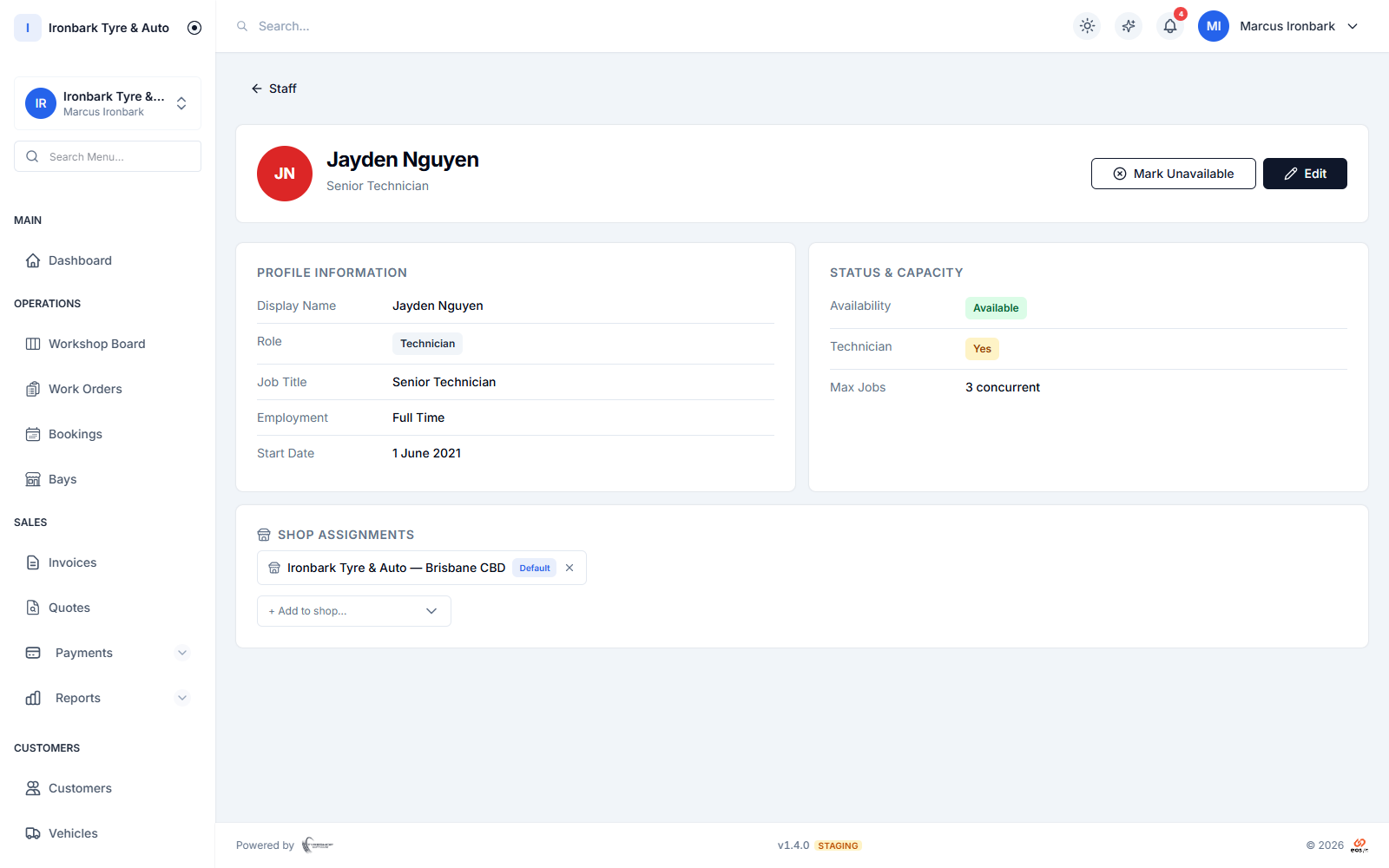
A staff member’s profile and role permissions
Bring on staff

Invites, technician profiles and activity history

Invite a new team member by email, give them a role, and they are set up in minutes. Technicians get a profile for the workshop board, and an activity log records key actions across the shop.

  • Invite staff by email
  • Technician profiles for the job board
  • Activity log of key actions
  • Works alongside multi-shop access per site
How it works

Up and running with roles and permissions

  1. 01

    Invite your team

    Send a staff invite by email. The person joins your shop and is ready to be set up.

  2. 02

    Pick a role

    Choose one of eight preset roles and adjust the permissions so they see exactly what they need.

  3. 03

    Keep oversight

    Cost and margin stay locked to owners and managers, and the activity log shows key changes.

FAQ

Roles and permissions questions

How many staff roles are there?

There are eight preset roles covering the whole shop, from front desk and technician to inventory, accounts, shop manager and owner. You can adjust the permissions on top of them.

Can I hide cost prices from staff?

Yes. Cost prices and profit margins are hidden from general staff by default and visible only to owners and managers, so the counter can quote without seeing what a tyre cost you.

Can I limit what each person sees?

Yes. Each role carries granular permissions you can tune, right down to read-only access for someone who only needs to look.

Is there a record of who did what?

Yes. An activity log records key actions across the shop, so owners can see important changes without opening every permission to every user.

See roles and permissions in your own shop

Start a 14-day free trial of TyreShop Software and run roles and permissions alongside the rest of the platform. No credit card required.

14-day free trial. No credit card required.